
Whenever I open Parallels or open my Windows VM, the Parallels Icon pops up and bounces in the Dock, but after maybe 20 seconds it just disappears.
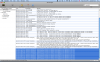
I opened Console and some examples of the error messages:
com.apple.launchd[179] ([0x0-0x110110].com.parallels.desktop.console[3064]) Exited abnormally: Bus error
com.apple.launchd[179] ([0x0-0x112112].com.parallels.desktop.console[3071]) Exited abnormally: Bus error
com.apple.launchd[179] ([0x0-0x113113].com.parallels.desktop.console[3076]) Exited abnormally: Bus error
com.apple.launchd[179] ([0x0-0x114114].com.parallels.desktop.console[3081]) Exited abnormally: Bus error
com.apple.launchd[179] ([0x0-0x118118].com.parallels.desktop.console[3097]) Exited abnormally: Bus error
com.apple.launchd[179] ([0x0-0x119119].com.parallels.desktop.console[3104]) Exited abnormally: Bus error
com.apple.launchd[179] ([0x0-0x11f11f].com.parallels.desktop.console[3132]) Exited abnormally: Bus error
com.apple.launchd[179] ([0x0-0x125125].com.parallels.desktop.console[3166]) Exited abnormally: Bus error
So pretty much it, I'm doing some important work on Windows XP and need Parallels working as soon as possible.
Help would be much appreciated
Thanks
P.S. I also added some screenshots
Edit: This is Parallels 4.0 for Mac, sorry i forgot that
I opened Console and some examples of the error messages:
com.apple.launchd[179] ([0x0-0x110110].com.parallels.desktop.console[3064]) Exited abnormally: Bus error
com.apple.launchd[179] ([0x0-0x112112].com.parallels.desktop.console[3071]) Exited abnormally: Bus error
com.apple.launchd[179] ([0x0-0x113113].com.parallels.desktop.console[3076]) Exited abnormally: Bus error
com.apple.launchd[179] ([0x0-0x114114].com.parallels.desktop.console[3081]) Exited abnormally: Bus error
com.apple.launchd[179] ([0x0-0x118118].com.parallels.desktop.console[3097]) Exited abnormally: Bus error
com.apple.launchd[179] ([0x0-0x119119].com.parallels.desktop.console[3104]) Exited abnormally: Bus error
com.apple.launchd[179] ([0x0-0x11f11f].com.parallels.desktop.console[3132]) Exited abnormally: Bus error
com.apple.launchd[179] ([0x0-0x125125].com.parallels.desktop.console[3166]) Exited abnormally: Bus error
So pretty much it, I'm doing some important work on Windows XP and need Parallels working as soon as possible.
Help would be much appreciated
Thanks
P.S. I also added some screenshots
Edit: This is Parallels 4.0 for Mac, sorry i forgot that
Attachments

Last edited: