[  1184.167]
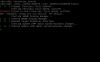
X.Org X Server 1.19.0
Release Date: 2016-11-15
[  1184.167] X Protocol Version 11, Revision 0
[  1184.167] Build Operating System: Linux 3.16.0-4-amd64 x86_64 Debian
[  1184.167] Current Operating System: Linux kali 4.8.0-kali2-amd64 #1 SMP Debian 4.8.15-1kali1 (2016-12-23) x86_64
[  1184.167] Kernel command line: BOOT_IMAGE=/boot/vmlinuz-4.8.0-kali2-amd64 root=UUID=c9ec76eb-9236-4208-a383-905d11dcc053 ro initrd=/install/initrd.gz
[  1184.167] Build Date: 23 November 2016  07:20:23PM
[  1184.168] xorg-server 2:1.19.0-2 (https://www.debian.org/support)
[  1184.168] Current version of pixman: 0.34.0
[  1184.168]     Before reporting problems, check http://wiki.x.org
    to make sure that you have the latest version.
[  1184.168] Markers: (--) probed, (**) from config file, (==) default setting,
    (++) from command line, (!!) notice, (II) informational,
    (WW) warning, (EE) error, (NI) not implemented, (??) unknown.
[  1184.169] (==) Log file: "/var/log/Xorg.0.log", Time: Fri Dec 30 16:01:42 2016
[  1184.169] (==) Using system config directory "/usr/share/X11/xorg.conf.d"
[  1184.169] (==) No Layout section.  Using the first Screen section.
[  1184.169] (==) No screen section available. Using defaults.
[  1184.169] (**) |-->Screen "Default Screen Section" (0)
[  1184.169] (**) |   |-->Monitor "<default monitor>"
[  1184.169] (==) No monitor specified for screen "Default Screen Section".
    Using a default monitor configuration.
[  1184.169] (==) Automatically adding devices
[  1184.169] (==) Automatically enabling devices
[  1184.169] (==) Automatically adding GPU devices
[  1184.169] (==) Max clients allowed: 256, resource mask: 0x1fffff
[  1184.169] (WW) The directory "/usr/share/fonts/X11/cyrillic" does not exist.
[  1184.169]     Entry deleted from font path.
[  1184.169] (WW) The directory "/usr/share/fonts/X11/100dpi/" does not exist.
[  1184.169]     Entry deleted from font path.
[  1184.169] (WW) The directory "/usr/share/fonts/X11/75dpi/" does not exist.
[  1184.169]     Entry deleted from font path.
[  1184.169] (WW) The directory "/usr/share/fonts/X11/100dpi" does not exist.
[  1184.169]     Entry deleted from font path.
[  1184.169] (WW) The directory "/usr/share/fonts/X11/75dpi" does not exist.
[  1184.169]     Entry deleted from font path.
[  1184.169] (==) FontPath set to:
    /usr/share/fonts/X11/misc,
    /usr/share/fonts/X11/Type1,
    built-ins
[  1184.169] (==) ModulePath set to "/usr/lib/xorg/modules"
[  1184.169] (II) The server relies on udev to provide the list of input devices.
    If no devices become available, reconfigure udev or disable AutoAddDevices.
[  1184.169] (II) Loader magic: 0x55e0c1ad7e00
[  1184.169] (II) Module ABI versions:
[  1184.169]     X.Org ANSI C Emulation: 0.4
[  1184.169]     X.Org Video Driver: 23.0
[  1184.169]     X.Org XInput driver : 24.1
[  1184.169]     X.Org Server Extension : 10.0
[  1184.171] (--) using VT number 3

[  1184.171] (II) systemd-logind: logind integration requires -keeptty and -keeptty was not provided, disabling logind integration
[  1184.171] (--) PCI:*(0:1:0:0) 1ab8:4005:1ab8:0400 rev 0, Mem @ 0xb0000000/67108864, I/O @ 0x00006000/32, BIOS @ 0x????????/131072
[  1184.172] (II) LoadModule: "glx"
[  1184.172] (II) Loading /usr/lib/xorg/modules/extensions/libglx.so
[  1184.174] (II) Module glx: vendor="X.Org Foundation"
[  1184.174]     compiled for 1.19.0, module version = 1.0.0
[  1184.174]     ABI class: X.Org Server Extension, version 10.0
[  1184.174] (==) Matched modesetting as autoconfigured driver 0
[  1184.174] (==) Matched fbdev as autoconfigured driver 1
[  1184.174] (==) Matched vesa as autoconfigured driver 2
[  1184.174] (==) Assigned the driver to the xf86ConfigLayout
[  1184.174] (II) LoadModule: "modesetting"
[  1184.174] (II) Loading /usr/lib/xorg/modules/drivers/modesetting_drv.so
[  1184.174] (II) Module modesetting: vendor="X.Org Foundation"
[  1184.174]     compiled for 1.19.0, module version = 1.19.0
[  1184.174]     Module class: X.Org Video Driver
[  1184.174]     ABI class: X.Org Video Driver, version 23.0
[  1184.174] (II) LoadModule: "fbdev"
[  1184.174] (II) Loading /usr/lib/xorg/modules/drivers/fbdev_drv.so
[  1184.174] (II) Module fbdev: vendor="X.Org Foundation"
[  1184.174]     compiled for 1.19.0, module version = 0.4.4
[  1184.174]     Module class: X.Org Video Driver
[  1184.174]     ABI class: X.Org Video Driver, version 23.0
[  1184.174] (II) LoadModule: "vesa"
[  1184.175] (II) Loading /usr/lib/xorg/modules/drivers/vesa_drv.so
[  1184.175] (II) Module vesa: vendor="X.Org Foundation"
[  1184.175]     compiled for 1.19.0, module version = 2.3.4
[  1184.175]     Module class: X.Org Video Driver
[  1184.175]     ABI class: X.Org Video Driver, version 23.0
[  1184.175] (II) modesetting: Driver for Modesetting Kernel Drivers: kms
[  1184.175] (II) FBDEV: driver for framebuffer: fbdev
[  1184.175] (II) VESA: driver for VESA chipsets: vesa
[  1184.175] (EE) open /dev/dri/card0: No such file or directory
[  1184.175] (WW) Falling back to old probe method for modesetting
[  1184.175] (EE) open /dev/dri/card0: No such file or directory
[  1184.175] (II) Loading sub module "fbdevhw"
[  1184.175] (II) LoadModule: "fbdevhw"
[  1184.175] (II) Loading /usr/lib/xorg/modules/libfbdevhw.so
[  1184.175] (II) Module fbdevhw: vendor="X.Org Foundation"
[  1184.175]     compiled for 1.19.0, module version = 0.0.2
[  1184.175]     ABI class: X.Org Video Driver, version 23.0
[  1184.175] (EE) open /dev/fb0: No such file or directory
[  1184.175] (WW) Falling back to old probe method for fbdev
[  1184.175] (II) Loading sub module "fbdevhw"
[  1184.175] (II) LoadModule: "fbdevhw"
[  1184.175] (II) Loading /usr/lib/xorg/modules/libfbdevhw.so
[  1184.175] (II) Module fbdevhw: vendor="X.Org Foundation"
[  1184.175]     compiled for 1.19.0, module version = 0.0.2
[  1184.175]     ABI class: X.Org Video Driver, version 23.0
[  1184.175] (EE) open /dev/fb0: No such file or directory
[  1184.175] vesa: Ignoring device with a bound kernel driver
[  1184.175] (WW) Falling back to old probe method for vesa
[  1184.175] (EE) Screen 0 deleted because of no matching config section.
[  1184.175] (II) UnloadModule: "modesetting"
[  1184.175] (EE) Screen 0 deleted because of no matching config section.
[  1184.175] (II) UnloadModule: "fbdev"
[  1184.175] (II) UnloadSubModule: "fbdevhw"
[  1184.175] (EE) Screen 0 deleted because of no matching config section.
[  1184.175] (II) UnloadModule: "vesa"
[  1184.175] (EE) Device(s) detected, but none match those in the config file.
[  1184.175] (EE)
Fatal server error:
[  1184.175] (EE) no screens found(EE)
[  1184.175] (EE)
Please consult the The X.Org Foundation support
     at http://wiki.x.org
for help.
[  1184.175] (EE) Please also check the log file at "/var/log/Xorg.0.log" for additional information.
[  1184.175] (EE)
[  1184.177] (EE) Server terminated with error (1). Closing log file.