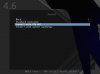
I have trouble installing Parrot OS 4.6 on Parallels 15.0.0 (46967).
I can run Live mode but when I try installing the screen goes black. I tried settings OS version to "More Linux => Other Linux" and settings HDD and CDROM to IDE but still no luck.
I have no trouble installing the same ISO on Virtual Box. Text based GUI installer appears as soon as I select "Install" option.
I have MacOS Mojave Version 10.14.6 (18G87)
How can I make it work in Patallels?
I can run Live mode but when I try installing the screen goes black. I tried settings OS version to "More Linux => Other Linux" and settings HDD and CDROM to IDE but still no luck.
I have no trouble installing the same ISO on Virtual Box. Text based GUI installer appears as soon as I select "Install" option.
I have MacOS Mojave Version 10.14.6 (18G87)
How can I make it work in Patallels?