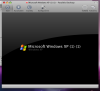
PD 4.0 Doesn't start at all

mdjezierski

Bit poster
Have the latest PD 4.0 - running iMac Leopard 10.5.6 - reinstalled PD 4.0 multiple times and still will not start the VM. Doesn't attempt installation just get a box and no CPU activity from the PRL applications

problem ID 22304 is submitted.
 
same problem

I have the same problem
my ID is 22621
I made the upgrade from 3 to 4 and when i start parallels desktop, pd hangs up before starting to load windows. the same happens when i try to make a new installation of windows - it always ends up with the enclosed screen...
 

Attachments

  • Bild 1-2.png
    Bild 1-2.png
    72.1 KB · Views: 14
Last edited:
I have a similar problem. Upon upgrading to 4.0 PD will not open, it asks me to turn off the firewall (which is turned off).

I have tried the following terminal command as requested by the knowledge base and the support person to no avail:
sh-3.2# sudo /Library/Parallels/Parallels\ Service.app/Contents/MacOS/
prl_disp_service -e --logfile /var/log/prl_disp_service_server.log --
pidfile /var/run/prl_disp_service.pid &
[1] 3888
sh-3.2# WARNING: QApplication was not created in the main() thread.

***** I hit enter here *******

[1]+ Bus error sudo /Library/Parallels/Parallels\
Service.app/Contents/MacOS/prl_disp_service -e --logfile /var/log/
prl_disp_service_server.log --pidfile /var/run/prl_disp_service.pid
sh-3.2#
 
Thank you.

I have an existing ticket, but the support person dropped it and no one picked it back up. So, I've created a new ticket and a new guy responded. I followed up with some information but haven't heard anything.
 
Request

Original ID (still not re-picked up) #641985, the new submission of the same problem that they eventually picked up #637472.

The problem is that it's been well over a week and a half and I've yet to have a meaningful response from support.

I've sent them (on my own volition) what I've already tried, logs, and list of installed software.

Ok long story short, I've managed to find the problem on my own and have verified it be repeating the issue on a new install.

Odd thing, I used the ln -s command to create a symbolic link in the Shared users folder. If I delete the symbolic link and restart the computer Parallels no longer has the firewall error.

How to Reproduce the Error:

$ cd /Users/Shared
$ mkdir SyncLocation
$ mv Parallels /Users/Shared/SyncLocation/Parallels
$ ln -s /Users/Shared/SyncLocation/Parallels /Users/Shared/Parallels
*Restart computer and try to load parallels.
 
Well let us see

1.Bring it all back
2. make sure Parallels is running
3. perform command in Terminal
cd /Users/Shared
ls -le
write down everything you see
4. Perform commands you mentioned
see the difference
- ownership
- acls
on both link and SynLocation
 
Just addition,
Why you are moving Parallels folder,
Code is checking for Parallels Folder in /Users/Shared
If you need to put VMs to Shared for synchronization
just create another folder when you create new virtual Machine (no need to install something)- and point to folder /Users/Shared/SynLocation/Parallels
and after that you can copy all other machines there, and after removing them from original location
remove them from virtual directory, and add them from new location
 
Back
Top