Okay I have run out of patience here. Mavericks and Windows 8 and 8.1 have been out long enough and Parallels STILL hasn't fixed log standing bugs. Here is what still doesn't work.
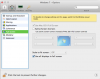
1. Must use OS X full screen mode to get rid of menu bar at the top of display, please fix Parallels so that I can go into full screen mode without having to use OS X full screen.
2. When in full screen mode, cycling through my spaces causes the windows VM to randomly flicker and resize, this did not happen in PD8. I should be able to flip through my spaces how I want without having to deal with my windows VM flickering and rescaling, resizing as I do so.
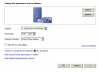
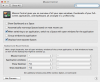
3. In windows 8.1 I STILL do not have the ability to select a scaled resolution on my 15" rMBP as I do on Windows 8. I can either check "enable retina resolution" or not. I was told awhile back this was due to 8.1 still being beta, well it isn't anymore and if your going to falsely advertise full Mavericks and 8.1 support then freaking provide it.
4. Auto DPI scaling, I am not sure this is a purely a parallels problem but the reason why I have to keep the retina settings off and my Windows 8 VM on scaled is because you have to reboot the Windows VM with retina enabled if the VM shifts between my primary retina display and my secondary display which is not "retina". I would think there has to be a way to keep from having to do that. I have been told VMWare Fusion does not require such a step.
Anyone else having these issues? If so have you found resolutions for them?
My parallels is updated to: Build 9.0.24172
(Revision 951362; Tuesday, December 3, 2013)
Thanks
Jeff
1. Must use OS X full screen mode to get rid of menu bar at the top of display, please fix Parallels so that I can go into full screen mode without having to use OS X full screen.
2. When in full screen mode, cycling through my spaces causes the windows VM to randomly flicker and resize, this did not happen in PD8. I should be able to flip through my spaces how I want without having to deal with my windows VM flickering and rescaling, resizing as I do so.
3. In windows 8.1 I STILL do not have the ability to select a scaled resolution on my 15" rMBP as I do on Windows 8. I can either check "enable retina resolution" or not. I was told awhile back this was due to 8.1 still being beta, well it isn't anymore and if your going to falsely advertise full Mavericks and 8.1 support then freaking provide it.
4. Auto DPI scaling, I am not sure this is a purely a parallels problem but the reason why I have to keep the retina settings off and my Windows 8 VM on scaled is because you have to reboot the Windows VM with retina enabled if the VM shifts between my primary retina display and my secondary display which is not "retina". I would think there has to be a way to keep from having to do that. I have been told VMWare Fusion does not require such a step.
Anyone else having these issues? If so have you found resolutions for them?
My parallels is updated to: Build 9.0.24172
(Revision 951362; Tuesday, December 3, 2013)
Thanks
Jeff