Please help - Parallels 12 error

AylinS

Bit poster
Hey Guys,

I am desperate for help.
After hours and hours of searching the internet and trying everything I reach out for your help.

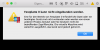
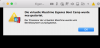
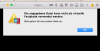
Suddenly when I start my parallels (lates version of parallels 12) I get the attached error Messages and I have no idea how to fix it.
Can you please help me?

I can only click "OK" and all the error messages come up one after another...

Thank you very much!
 

Attachments

  • Bildschirmfoto 2018-04-30 um 00.01.41.png
    Bildschirmfoto 2018-04-30 um 00.01.41.png
    76.2 KB · Views: 3
  • Bildschirmfoto 2018-04-30 um 00.01.51.png
    Bildschirmfoto 2018-04-30 um 00.01.51.png
    100.3 KB · Views: 2
  • Bildschirmfoto 2018-04-30 um 00.01.59.png
    Bildschirmfoto 2018-04-30 um 00.01.59.png
    28.4 KB · Views: 2
  • Bildschirmfoto 2018-04-30 um 00.02.48.png
    Bildschirmfoto 2018-04-30 um 00.02.48.png
    74.9 KB · Views: 3
Hi @AylinS, can you please send us a problem report collected right after the error and a splash screen (Help menu > Send Technical Data...)? This will help us significantly, please reply me back with the report ID number.
 
Hi @AylinS, can you please send us a problem report collected right after the error and a splash screen (Help menu > Send Technical Data...)? This will help us significantly, please reply me back with the report ID number.

Hi Chris,

Thank you for your help.
I just send the report. Here the ID: 254121718

I am looking forward to hearing from you

Regards
Aylin
 
Do you have any update for me?
I would be very thankful if you could help me fixing the problem as soon as possible as I need to work with parallels

Thank you
Aylin
 
Do you have any update for me?
I would be very thankful if you could help me fixing the problem as soon as possible as I need to work with parallels

Thank you
Aylin
Hi AylinS. Please remove the existing BootCamp based virtual machine from Parallels Desktop for Mac and follow the steps from this article to resolve the issue.
 
Hi AylinS. Please remove the existing BootCamp based virtual machine from Parallels Desktop for Mac and follow the steps from this article to resolve the issue.
That did not help.
I deleted everything of my virual maschine and even Parallels and now I have the same error:
"Failed to configure the Boot Camp partition's hard disk. A disk configuration error has occurred. Make sure that you have read/write permissions for the disk.
Error: PRL_ERR_DISK_FILE_OPEN_ERROR (0x80021014)"

This is really frustrating.
I searched all you forum and tried so solve everything by doing the proposed solution of this https://kb.parallels.com/en/123574 but no change.

Can you please provide me a proper solution for my error, this is really frustrating!!!!!
I send a new error report - ID 254914194
 
That did not help.
I deleted everything of my virual maschine and even Parallels and now I have the same error:
"Failed to configure the Boot Camp partition's hard disk. A disk configuration error has occurred. Make sure that you have read/write permissions for the disk.
Error: PRL_ERR_DISK_FILE_OPEN_ERROR (0x80021014)"

This is really frustrating.
I searched all you forum and tried so solve everything by doing the proposed solution of this https://kb.parallels.com/en/123574 but no change.

Can you please provide me a proper solution for my error, this is really frustrating!!!!!
I send a new error report - ID 254914194
Please refer this article to install the trial version of Parallels Desktop 13. Then remove the existing BootCamp based virtual machine, try creating a new virtual machine from BootCamp and check if it works.
 
That did not help.
I deleted everything of my virual maschine and even Parallels and now I have the same error:
"Failed to configure the Boot Camp partition's hard disk. A disk configuration error has occurred. Make sure that you have read/write permissions for the disk.
Error: PRL_ERR_DISK_FILE_OPEN_ERROR (0x80021014)"

This is really frustrating.
I searched all you forum and tried so solve everything by doing the proposed solution of this https://kb.parallels.com/en/123574 but no change.

Can you please provide me a proper solution for my error, this is really frustrating!!!!!
I send a new error report - ID 254914194
Hi @AylinS, we just released a new update for Parallels Desktop 13 for Mac and this update Parallels Desktop 13 for Mac Update 3 Hotfix 1 (13.3.1-43365) addresses this issue. To check for updates, click on the Parallels Desktop menu on Mac menu bar and select Check for Updates: http://kb.parallels.com/124262
 
Back
Top