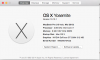
Hello, I'm running Parallels 10 with Windows 8.1 Professional on an older Macbook. (mid 2010) My Macbook is running a 128 Gb ssd drive with OS X on it, and a 1 Terabyte SSHD for the data and home folders. Mac is running Yosemite, the latest release. (see screen shot)
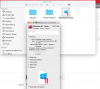
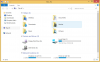
I keep getting a notice that my hard drive is full and needs more space. As you can see from the screenshots, I have plenty of space on the virtual "C" drive, 89.6 Gb with 76.9 Gb still free. Another screenshot shows my Windows 8.1 1 .pvm file is only 14.01 Gb total.
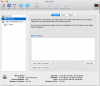
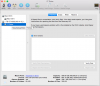
I've also included two screenshots from disk utility showing the two hard drives have plenty of space left, 37.31 Gb on the ssd and 662.16 on the sshd.
The virtual "C" drive for Windows is located on the 1 terabyte sshd drive, but the Windows 8.1.pvm file is actually showing it is located on the 128 ssd "Mac OS X" drive.
Any idea why Parallels would be thinking I'm running out of disk space? I get the alert, and it forces me to close shut down Windows and restart. I would greatly appreciate any tips on this. Thanks!
I keep getting a notice that my hard drive is full and needs more space. As you can see from the screenshots, I have plenty of space on the virtual "C" drive, 89.6 Gb with 76.9 Gb still free. Another screenshot shows my Windows 8.1 1 .pvm file is only 14.01 Gb total.
I've also included two screenshots from disk utility showing the two hard drives have plenty of space left, 37.31 Gb on the ssd and 662.16 on the sshd.
The virtual "C" drive for Windows is located on the 1 terabyte sshd drive, but the Windows 8.1.pvm file is actually showing it is located on the 128 ssd "Mac OS X" drive.
Any idea why Parallels would be thinking I'm running out of disk space? I get the alert, and it forces me to close shut down Windows and restart. I would greatly appreciate any tips on this. Thanks!