Problem connecting mac and VM at the same time

TapisVolant

Junior Member
Hi,
I use a direct ethernet connection. Under Shared Networking, I can access internet on my Mac, but not with the VM. When I switch to Bridge Networking, VM connects to the internet, but I loose my mac connection. Any idea how to make both Mac and VM connect?
 
Last edited:
what version of PD do you use? 3 or 4? what build? what type of network connection do you have: airport or ethernet?
If you use ethernet, make sure that your VM and Mac do not have same MAC address. In configuration editor of VM what type of connection do you use for Bridged mode? Ethernet or Airport or Default Adapter?
 
Info Requested

Thanks for replying.

I use PD 4, build 3540. Network connection is Ethernet.
Mac has ethernet ID: 00:22:41:2a:73:70. VM has physical address: 00-1C-42-DB-4F-F3.

In configuration editor, when in Shared connection, I cannot access the internet. Only when I switch to Bridge Mode (Default Adapter) can I connect, but then I loose my Mac connection.

Hope this might help solve the problem.
 

Attachments

  • ipconfigAll.gif
    ipconfigAll.gif
    25.9 KB · Views: 3
Dear Tapis,

Could you pease provide us with the following information:
(In Mac Terminal: Finder->Applicaitons->Utilities->Terminal.app)
ifconfig -a
traceroute www.parallels.com

It will help us to advise you correct Internet settings
 
Thanks Max,

Here is the info:

ifconfig -a:

lo0: flags=8049<UP,LOOPBACK,RUNNING,MULTICAST> mtu 16384
inet6 fe80::1%lo0 prefixlen 64 scopeid 0x1
inet 127.0.0.1 netmask 0xff000000
inet6 ::1 prefixlen 128
gif0: flags=8010<POINTOPOINT,MULTICAST> mtu 1280
stf0: flags=0<> mtu 1280
en0: flags=8863<UP,BROADCAST,SMART,RUNNING,SIMPLEX,MULTICAST> mtu 1500
inet6 fe80::222:41ff:fe2a:7370%en0 prefixlen 64 scopeid 0x4
inet 99.234.84.247 netmask 0xfffffe00 broadcast 99.234.85.255
ether 00:22:41:2a:73:70
media: autoselect (100baseTX <full-duplex,flow-control>) status: active
supported media: autoselect 10baseT/UTP <half-duplex> 10baseT/UTP <full-duplex> 10baseT/UTP <full-duplex,hw-loopback> 10baseT/UTP <full-duplex,flow-control> 100baseTX <half-duplex> 100baseTX <full-duplex> 100baseTX <full-duplex,hw-loopback> 100baseTX <full-duplex,flow-control> 1000baseT <full-duplex> 1000baseT <full-duplex,hw-loopback> 1000baseT <full-duplex,flow-control> none
en4: flags=8963<UP,BROADCAST,SMART,RUNNING,PROMISC,SIMPLEX,MULTICAST> mtu 1500
inet6 fe80::21c:42ff:fe00:8%en4 prefixlen 64 scopeid 0x5
inet 10.211.55.2 netmask 0xffffff00 broadcast 10.211.55.255
ether 00:1c:42:00:00:08
media: autoselect status: active
supported media: autoselect
fw0: flags=8863<UP,BROADCAST,SMART,RUNNING,SIMPLEX,MULTICAST> mtu 4078
lladdr 00:22:41:ff:fe:44:76:2c
media: autoselect <full-duplex> status: inactive
supported media: autoselect <full-duplex>
en1: flags=8823<UP,BROADCAST,SMART,SIMPLEX,MULTICAST> mtu 1500
ether 00:21:e9:e4:d0:a0
media: autoselect (<unknown type>) status: inactive
supported media: autoselect
en5: flags=8963<UP,BROADCAST,SMART,RUNNING,PROMISC,SIMPLEX,MULTICAST> mtu 1500
inet6 fe80::21c:42ff:fe00:9%en5 prefixlen 64 scopeid 0x8
inet 10.37.129.2 netmask 0xffffff00 broadcast 10.37.129.255
ether 00:1c:42:00:00:09
media: autoselect status: active
supported media: autoselect

traceroute www.parallels.com:

traceroute to www.parallels.com (64.131.89.6), 64 hops max, 40 byte packets
traceroute: sendto: Host is down
1 traceroute: wrote www.parallels.com 40 chars, ret=-1
*traceroute: sendto: Host is down
traceroute: wrote www.parallels.com 40 chars, ret=-1
*traceroute: sendto: Host is down
traceroute: wrote www.parallels.com 40 chars, ret=-1
 
It seems that you have so-called "white" or "gray" IP address, which means that you have direct acces to the internet from your Mac without any gateways in between.
In your choice the best way is to set Shared Networking, and configure IP settings in the folowing way:
(Start->Control Panel->Network Connections->Local Area Connection->(right-click) Properties->Internet protocol (TCP/IP)->Properties)
1. "Obtain IP address automatically"
2. "Use the following DNS server"
- Set 10.211.55.1 as primary DNS
- Your ISP's DNS as secondary one and check if the issue still persists.

If it does, provide usplease with the following output form Mac Terminal and Windows cmd:
(Mac)
host -ta www.parallels.com

(Windows)
nslookup -type=A www.parallels.com
 
Mac
host -ta
Usage: host [-aCdlriTwv] [-c class] [-N ndots] [-t type] [-W time]
[-R number] [-m flag] hostname [server]
-a is equivalent to -v -t ANY
-c specifies query class for non-IN data
-C compares SOA records on authoritative nameservers
-d is equivalent to -v
-l lists all hosts in a domain, using AXFR
-i IP6.INT reverse lookups
-N changes the number of dots allowed before root lookup is done
-r disables recursive processing
-R specifies number of retries for UDP packets
-s a SERVFAIL response should stop query
-t specifies the query type
-T enables TCP/IP mode
-v enables verbose output
-w specifies to wait forever for a reply
-W specifies how long to wait for a reply
-4 use IPv4 query transport only
-6 use IPv6 query transport only
-m set memory debugging flag (trace|record|usage)

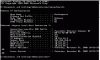
VM
See attachement
 

Attachments

  • VM.gif
    VM.gif
    26.7 KB · Views: 5
Back
Top