
Install the app
How to install the app on iOS
Follow along with the video below to see how to install our site as a web app on your home screen.
Note: This feature may not be available in some browsers.
You are using an out of date browser. It may not display this or other websites correctly.
You should upgrade or use an alternative browser.
You should upgrade or use an alternative browser.
Problem Installing Parallels Tools on System with 4.17 Kernel
- Thread starter DarrylB1
- Start date
-
- Tags
- kernel 4.17
Arun@Parallels
Parallels Support
Same problem here on kali 2018.2 . I tried the steps from the suggested article, but it doesn't work. I got the following error:
root@kali-vm:/# apt-get install linux-headers-$(uname -r) make gcc dkms kpartx
Paketlisten werden gelesen... Fertig
Abhängigkeitsbaum wird aufgebaut.
Statusinformationen werden eingelesen.... Fertig
E: Paket linux-headers-4.15.0-kali2-amd64 kann nicht gefunden werden.
E: Mittels des Musters »linux-headers-4.15.0-kali2-amd64« konnte kein Paket gefunden werden.
E: Mittels regulärem Ausdruck »linux-headers-4.15.0-kali2-amd64« konnte kein Paket gefunden werden.
Please help @Arun@Parallels
root@kali-vm:/# apt-get install linux-headers-$(uname -r) make gcc dkms kpartx
Paketlisten werden gelesen... Fertig
Abhängigkeitsbaum wird aufgebaut.
Statusinformationen werden eingelesen.... Fertig
E: Paket linux-headers-4.15.0-kali2-amd64 kann nicht gefunden werden.
E: Mittels des Musters »linux-headers-4.15.0-kali2-amd64« konnte kein Paket gefunden werden.
E: Mittels regulärem Ausdruck »linux-headers-4.15.0-kali2-amd64« konnte kein Paket gefunden werden.
Please help @Arun@Parallels
NikolausS2
Bit poster
I followed the posted instructions. After the Parallels Toolbox installation completes, the directories from the host OSX are mounted. However, when I restart Kali Linux, the display manager doesn't start no matter if i use the Gnome or the XFCE distribution.
Ok, I fixed this:
After a fresh installation of Kali Linux XFCE, open a terminal and enter
apt-mark hold xserver-xorg-core
then
apt update && apt full-upgrade
then reboot
then
apt-get install dkms kpartx printer-driver-postscript-hp
reboot
then
In Parallels click Install Parallel Tools
then
mount -o exec /media/cdrom0
cd /media/cdrom0
./install
reboot
Now everything is working fine. So the problem is with the updated xserver in Linux 4.17
Ok, I fixed this:
After a fresh installation of Kali Linux XFCE, open a terminal and enter
apt-mark hold xserver-xorg-core
then
apt update && apt full-upgrade
then reboot
then
apt-get install dkms kpartx printer-driver-postscript-hp
reboot
then
In Parallels click Install Parallel Tools
then
mount -o exec /media/cdrom0
cd /media/cdrom0
./install
reboot
Now everything is working fine. So the problem is with the updated xserver in Linux 4.17
Last edited:
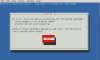
Let us know the Linux kernel version you have.hi guys i am getting this issue tried several ways but no luck. any idea. i am new in linux . appreciate your help View attachment 14305