Problem with virtuelle COM-Ports

EckhardS

Bit poster
Hello,

have a problem with the assignment of the virtual COM port between MAC and host system Windows 10th.

The hardware is used in the MAC and Windows 10 with different software (but not simultaneously - ie either MAC or Windows 10).
It used four virtual interfaces. How do I configure these interfaces in Parallels, which they are assigned under MAC OSX as well as Windows 10
without any time to disconnect the cable and reconnect.

thanks for Infos Ed
 
Hello Manu,
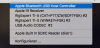
here the Screenshots:

config the USB & Bluetooth:
Bildschirmfoto 2016-02-20 um 09.01.57.png

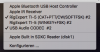
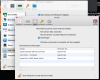
here the Information to RigExpert TI-5 USB-Interface and USB Audio after starting virtuell Win10:

Bildschirmfoto 2016-02-20 um 09.06.15.png

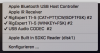
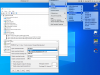
now mouse click on USB Audio and then on RigExpert TI-5 (CAT..) - USB Audio and RigExpert (CAT...) is connected to Win10:

Bildschirmfoto 2016-02-20 um 09.07.33.png

now mouse click on RigExpert TI-5 (Winkey...) - RigExpert TI-5 (Winkey...) is connected with MAC!!

Bildschirmfoto 2016-02-20 um 09.07.54.png

really would connect to WIN 10.

after I have removed the USB cable from the computer and plugged in again, the connection is made properly

Bildschirmfoto 2016-02-20 um 09.50.08.png

I hope I have now documented everything and they can help me.
Under VMware 8.x this connection is not a problem.

Nice Day from Germany Eckhard Schnaare
 
Here the Info for the installd Version on my Mac:
Bildschirmfoto 2016-02-21 um 22.21.44.png

this version also has the described problem.

greeting Eckhard Schnaare
 
Hello,
have a problem with the assignment of the virtual COM port between MAC and host system Windows 10th.

The hardware is used in the MAC and Windows 10 with different software (but not simultaneously - ie either MAC or Windows 10).
It used four virtual interfaces. How do I configure these interfaces in Parallels, which they are assigned under MAC OSX as well as Windows 10
without any time to disconnect the cable and reconnect.
May be configuring virtual com port in VM Configuration (Configure -> Hardware -> '+' -> Serial Port) will solve the issue? It is a lighter task, then connecting the USB Serial Port to guest.
 
Old thread but I have the same problem. Sometimes it works sometimes not. The VM configurator shows that my two ports are assigned to Windows 10.1 but when I open Device Manager there is not a port option.

Version 15.1.4 (47270) running Mac 10.15.5 (19F101)
 
Old thread but I have the same problem. Sometimes it works sometimes not. The VM configurator shows that my two ports are assigned to Windows 10.1 but when I open Device Manager there is not a port option.
Version 15.1.4 (47270) running Mac 10.15.5 (19F101)
Hello, could you please clarify when it works and when it doesn't. Or it happens without any visible reason?
 
It is pretty much random. "Usually" all I have to do is reinstall the ports and they show up. Now I get a positive response that the install worked, but still show no ports in Device Manager. And still show the ports as existing and belonging to Windows in the configuration manager.

I have never discovered rhyme nor reason for why they go away and sometimes come back.

Sometimes I get a message that a new device has been discovered where do I want it, Mac or Windows? When that happens, all is well, but I can't seem to force the event.

It used to be I could flail with it for awhile and get them back (the ports) but I came here this time because nothing I do gets them back.

Any further information that you require, please let me know.

Thank you.
 
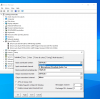
I have kinda the same issue but different. I can tell that my device attaches to Parallels Windows. I can see it in device manager. I can uninstall and scan for hardware and I hear and see the port connect. I open the app and it does not see the port. And like the above, this will not work for a bit of time, then it will start working again. It will work flawlessly but when It stops working, eventually, it will ask me to I want to connect to Mac or Windows. When it does that, I know it's working again. In the upload, you can see the port in device manager but in the app it only shows the Parallels Audio. Any assistance gratefully received.
 

Attachments

  • Screen Shot 2020-07-29 at 05.50.44.png
    Screen Shot 2020-07-29 at 05.50.44.png
    196.1 KB · Views: 8
Back
Top