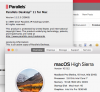
I have Parallels Desktop v11 on my Mac Mini which is running on MacOS Sierra. I am having problems creating a VM that runs High Sierra as a guest OS . I have attempted to do this two different ways. I first successfully created a VM running El Capitan as the guest OS. I then used this guest OS to download the High Sierra installation app. I then started the install process from within the VM. The result was that after a half an hour of installation, the VM just reboots into the Mac OS recovery screen where one selection is to install the High Sierra OS. The VM would only boot into this screen. I then created a VM with no source. I made a bootable image file from the install app for High Sierra. In VM configuration, I associated this file to the CD/DVD drive of the VM. I then started the VM back up where it was appearing to install High Sierra as a guest OS like my last attempt. However, I ended up with the same result. The VM boots back into the recovery screen.
What am I doing wrong? This should be a straightforward process. There is that new APFS file system that is created on an install of High Sierra. Could this be the problem? I think there is a workaround for this which would cause the older HFS+ file system to be created by the install software in place of APFS. However, the workaround had the user edit a special file for this. I found no such file to edit.
Thank you for your help.
PS I cannot afford the upgrade to Parallels Desktop v13 right now, otherwise I would be willing to make the upgrade to solve this problem.
What am I doing wrong? This should be a straightforward process. There is that new APFS file system that is created on an install of High Sierra. Could this be the problem? I think there is a workaround for this which would cause the older HFS+ file system to be created by the install software in place of APFS. However, the workaround had the user edit a special file for this. I found no such file to edit.
Thank you for your help.
PS I cannot afford the upgrade to Parallels Desktop v13 right now, otherwise I would be willing to make the upgrade to solve this problem.