bmconstant1.
Bit poster
Hi, I am trying to install Windows 10 on my Parallels version. I have downloaded the 64 GB version of Windows and have the .iso file. It's 3.89 GB. I tried dragging/dropping the file into the parallels wizard and receive an "Unable to Detect Operating System" prompt. I selected "Continue" to proceed anyway.
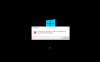
Under "Please Select Your Operating System" I chose "Windows 10". I have two options: Productivity or Games only. I chose Productivity. I selected Continue on the next page to confirm disc space. The Parallels Window runs and looks like it's installing. I chose English for the Windows setup menu, then choose continue. In the Windows setup menu, I have an error message: "Load driver: A media driver your computer needs is missing. This could be a DVD, UsB, or hard disk driver. If you have a CD, DVD, or USB flash drive with the driver on it, please insert it now. Note: If this installation media for Windows is in the DVD drive or on a USB drive, you can safely remove it for this step."
And from there, I'm stuck. Is something wrong with my .iso file or is there an issues with how I'm using the Parallels wizard to install??? Please help!
Under "Please Select Your Operating System" I chose "Windows 10". I have two options: Productivity or Games only. I chose Productivity. I selected Continue on the next page to confirm disc space. The Parallels Window runs and looks like it's installing. I chose English for the Windows setup menu, then choose continue. In the Windows setup menu, I have an error message: "Load driver: A media driver your computer needs is missing. This could be a DVD, UsB, or hard disk driver. If you have a CD, DVD, or USB flash drive with the driver on it, please insert it now. Note: If this installation media for Windows is in the DVD drive or on a USB drive, you can safely remove it for this step."
And from there, I'm stuck. Is something wrong with my .iso file or is there an issues with how I'm using the Parallels wizard to install??? Please help!