problems with ubuntu

hellfried

Junior Member
totally new at this. i have recently installed the evaluation edition of workstation and have been trying to install ubuntu 5.1 from a cd of the iso. i can get to the console and the ubuntu logo puts up but the whole thing dies at the 'boot _' line. everything goes still no matter how many times i hit enter. i want the default setup and not the base system. for that i was instructed just to hit enter. am i doing anything wrong?
i am running winxp sp2.
 
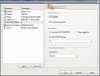
Describe your VM configuration please. I suggest you to create typical VM using wizard and choose "other linux 2.6" OS type.
 
i did set up for a typical vm. anyways please have a look at the screen captures
 

Attachments

  • Clipboard02.jpg
    Clipboard02.jpg
    90.2 KB · Views: 25
I'm noticed you are using real CD. May be it's unreadable? Try to make ISO from it using Parallels Image Tool or similar utility.
 
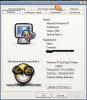
well i tried using the iso image which is residing on my hd but still i am stuck at the cursor at the end of 'boot'. looks like it does not take input form my keyboard.
i also tried booting into the installation when firing up my pc from the cd and it works! i am greeted with all the installation options after booting into it. i am really not keen on the idea of dual booting. i hate messing with my mbr as i find the chore of selecting which os to boot into a drag.
previously i have experimented with linspire and xandros and when i uninstall them i am left with the grub loader whenever i start up winxp.
could it be a problem of my intel dual core cpu?
 

Attachments

  • Clipboard01.jpg
    Clipboard01.jpg
    35.5 KB · Views: 21
Last edited:
.
Hellfriend,

If you do a repair with Windohs you will have only that entry in your mbr. For some reason, it seems that's the thing you would be most comfortable with. By the way, that's the second repair option, not the first. There is no third or subsequent repair options.
.
 
Hellfried,

Just make sure that you release the cursor from the host by clicking inside the Parallels window. There can be no keyboard input unless it is activated in the Parallels window.

Ray
 
Try the livecd install

I had problems installing ubuntu (from dapper flight 4 install iso) with Q, I managed to get round it by installing using the livecd install feature, still a few probs, but it rebooted ok and then I could use aptitude to fix the few broken packaged.

Update: just tried booting that cd in parallels, it crashes paralles... oh well.

Update2: but dapper flight 4 install cd works fine. yay!
 
Last edited:
Got Ubuntu working on beta 3

I had problems with the networking not working on Ubuntu...

After digging around I finally got it working...

There was an issue that gethostbyname() returned null to Ubuntu. This creates a problem in that you cannot issue sudo commands and the network config would not start...The problem is due to a bug in that when you install and set a hostname, it is not added to the etc/hosts file. You need to edit this file as root, as the sudo command will not work....

This solution is for Wired-connections only....if anyone gets wireless working please let me know..probably needs a driver...

1. Start Ubuntu in recovery mode (press escape as soon as the GRUB menu comes up), you'll be in as root
2. vi /etc/hosts
3. add a space after localhost and add the hostname you assigned your Ubuntu instance
4. save the file (:wq)
5. type reboot

In Ubuntu:
go to System->Admin->Networking and enable and activate your eth0 interface in Ubuntu...

note: appears to hang after login to Ubuntu, but eventually loads fine (must be a timeout)..
note note: enabling sound for the vm will make sound work in Ubuntu also!!
 
I successfully installed ubuntu 5.10 on the parallels workstation. Choose 'debian' as the vm type, as ubuntu is developed from that. Installing from the iso image also works

Regards,

Harald
 
scamp hit it on the head for me.

I just installed Ubuntu 6.06. After restarting from the install (as opposed to the Live CD), I had no networking. I took a peek in /etc/hosts and found that instead of appending my machine's name to the loopback entry (127.0.0.1), it added a second line with the wrong IP (127.0.1.1). I edited /etc/hosts from

127.0.0.1 localhost
127.0.1.1 ubuntu-install


to


127.0.0.1 localhost ubuntu-install

Restarted and it works. Thanks!
 
Back
Top