It's many years since the last post was added to this thread but I wanted to let you know that I'm having this exact issue under PD v14. My windows virtual is completely hosed and I'm in desperation mode trying to get back on track. Summary of what happened (for anyone experiencing something similar in the future):
* Ran "Free Up Disk Space..."
* Progress bar stopped at art 25% and sat the for hours.
* There's no STOP or CLOSE button so all I could do was close the window.
* Mac OS did constant 40MBps reads for hours and them stopped.
*Tried running PD and got the "Starting up..." window for hours.
*Support finally responded and said to upgrade to the latest version, which I did.
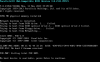
*Booted new PD (v14.1.2-45479) and got a Windows Boot Manager error saying my Windows startup is corrupted.
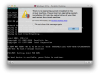
*Checked Disk First Aid on the laptop drive and it shows a corruption. I don't know if the corruption was there in the first place or if the DW recovery routine caused it during my various reboots (while the drive was heavily churning).
*Windows 7 Install disc "Recovery" routine fails to fix the issue
***Wasted 4 working days trying to get my VM back!!!
*Sadly my Time Machine backup is 60 days old and I don't trust it anyway.
*Luckily, I placed all of my working files on the Mac side and shared it to the VM so I haven't lost any of my really important stuff.
My next step will be to build a new VM. My I.S. team tried to install a new Win10 OEM but that also failed part way through. I need to repair my directory issue but I just found out that the tool I bought (Diak Warrior) doesn't fix AFPS volumes (which is what I have) so my nose is bleeding from all the walls I've been running into

I also agree that there's NO protection for users around this feature. There should be the following warnings:
* This process may take an extended period of time to complete (minutes to hours).
* You cannot stop this process, once started, or you may corrupt your VM system.
* Ensure your device is connected to mains power and will not go to sleep.
* You should check the integrity of your drive (eg. Disk First Aid) prior to running this to avoid causing possible corruptions.
Chz, Brett

 I really hope it works I've got around 6GB of unused space and my mac is running low on disk space