Hi
MatthewB15,
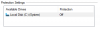
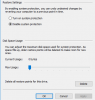
I had a similar problem yesterday after activating bitlocker on my windows VM.
(Chose the option to encrypt the whole harddisk instead of just the used space in the process.)
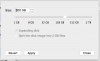
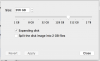
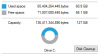
This caused the VM to take up all the harddisk space of my Mac and made it unable to resize the VM/Disk in Parallels.
These are the steps I took to get the VM back from taking up 256GB to only taking up 52GB:
(Mind you, make a back-up of your VM before attempting this.)
1. Copied the .PVM file of the VM to an external HDD and open it in Parallels. (This freed up space on my Mac.)
2. Turned off bitlocker in the VM.
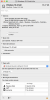
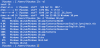
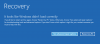
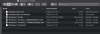
3. Used Gparted to boot into the VM and use it to decrease the partition size. (Make sure all partitions are sequential and the unallocated space is at the end of the disk.) Here is the resource on Gparted I used:
Reduce size of a virtual disk in Paralles...
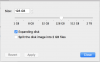
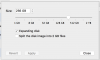
4. Turned off the VM and tried to resize the disk in Parallels (Parallels was able to decrease the disk size unlike before, I tried to make sure the size matched the one I chose in Gparted)
5. Copied the .PVM file of the VM back to the Mac and started it up.
6. Activated bitlocker again but this time with the option to only encrypt the used space.
Hopefully this information (or just a part of it) is useful to you guys.