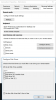
Having issues configuring RAS to use locally installed apps for data export.
Running Parallels RAS for a single, custom application. That application allows us to export data directly into Microsoft Excel. It also allows us to get custom reports via a web server running behind the firewall.
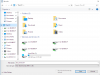
I can launch the custom application. I can get to the web server for reports. I can work as if I'm inside our corporate network. However cannot get either application to launch a local copy of Excel, Outlook, Adobe Acrobat, Microsoft Word or other locally installed program. It will not allow me to export to a local file. When prompted for the file location, the application wants to write to the downloads folder on the RD server or PC and not the local machine.
I've attempted to "Manage Device". I've added it as a domain computer. I've contacted level one support.
Running Parallels RAS for a single, custom application. That application allows us to export data directly into Microsoft Excel. It also allows us to get custom reports via a web server running behind the firewall.
I can launch the custom application. I can get to the web server for reports. I can work as if I'm inside our corporate network. However cannot get either application to launch a local copy of Excel, Outlook, Adobe Acrobat, Microsoft Word or other locally installed program. It will not allow me to export to a local file. When prompted for the file location, the application wants to write to the downloads folder on the RD server or PC and not the local machine.
I've attempted to "Manage Device". I've added it as a domain computer. I've contacted level one support.