In Snow Leopard, I removed Parallels Desktop 6 using instructions in Article ID 9087 (http://kb.parallels.com/9087). I assumed this would completely remove my virtual machines, Windows XP and all my applications, but I didn't see any significant reduction in my used disk space. I then upgraded to Mountain Lion and I see in the Launchpad there are icons for all my Windows XP applications (see attached file). Are these just shortcuts that I can delete or is this an indication that the applications actually still exist and are taking up space on my disk? After reading support articles, it seems I was supposed to remove my virtual machines prior to removing Parallels Desktop. Is there any way to clean up this mess and regain my disk space?

Install the app
How to install the app on iOS
Follow along with the video below to see how to install our site as a web app on your home screen.
Note: This feature may not be available in some browsers.
You are using an out of date browser. It may not display this or other websites correctly.
You should upgrade or use an alternative browser.
You should upgrade or use an alternative browser.
Removed Parallels Desktop 6 without removing Virtual Machines
- Thread starter EliseT
- Start date

P
Parallels User
The virtual machines are located in /Users/<username>/Documents/Parallels and/or /Users/Shared/Documents/Parallels
Those icons are shortcuts that exist in /Users/<username>/Applications(*)
Those icons are shortcuts that exist in /Users/<username>/Applications(*)
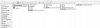
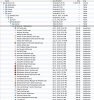
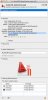
Thank you, Specimen. There is no "Parallels" folder in /Users/<username>/Documents/ and the "Parallels" folder in /Users/Shared/Documents/ is empty (see screen shot attached). I presume I can delete the shortcuts without harming anything, correct? I looked at the properties on one of the shortcuts pointing to an application I know is enormous (see screen shots) and it points to a "C:\Program Files" location, a Windows location of course. Is there any information in the properties to give me a clue to verify whether the application and Windows were actually deleted?
Attachments
P
Parallels User
You can safely delete the Windows XP 1 folder in Applications.
No Parallels folder in /Users/Elise/Documents/? Really?
You still have the VMs somewhere, because the removal instructions you followed don't remove the VM folder, I noticed you have a 'Deleted users' folder in /Users/, maybe it's there? By default VMs are created in the current user /Documents/Parallels folder (this location can be manually changed), if this was made in one of those deleted users account(s) then you should look for them in there.
No Parallels folder in /Users/Elise/Documents/? Really?
You still have the VMs somewhere, because the removal instructions you followed don't remove the VM folder, I noticed you have a 'Deleted users' folder in /Users/, maybe it's there? By default VMs are created in the current user /Documents/Parallels folder (this location can be manually changed), if this was made in one of those deleted users account(s) then you should look for them in there.
Last edited by a moderator:
I learned from other posts that the key files are .PVM and .HDD however these file types did not come up on a Spotlight search. I began to suspect that perhaps the files were hidden. Then, upon trying to do a manual backup of my Mail folder (completely unrelated to this issue) I discovered that the "Library" folder is hidden in Mountain Lion. I just upgraded this past weekend and was unaware this is the default for Mountain Lion (it was visible and searchable in Snow Leopard, which I was previously running). Once I figured out how to make the Library visible (press "ALT" while clicking on the Finder's "Go" menu) I found the "Parallels" folder. In summary, I found the files I needed to delete in /Users/<username>/Library/Parallels. I attached another screen shot. I deleted the /Library/Parallels folder and have regained my disk space.
Dear Parallels: It would be nice if you mentioned in Article ID 9087 the need to remove virtual machines via parallels desktop prior to uninstalling desktop
Dear Apple: It would be nice if you oriented users upon upgrade that the Library folder is hidden and therefore not searchable by default. I can tell you I had a heart attack when I couldn't find my Mail folder
Dear Parallels: It would be nice if you mentioned in Article ID 9087 the need to remove virtual machines via parallels desktop prior to uninstalling desktop
Dear Apple: It would be nice if you oriented users upon upgrade that the Library folder is hidden and therefore not searchable by default. I can tell you I had a heart attack when I couldn't find my Mail folder
P
Parallels User
The fact that the uninstaller does not remove the Virtual machines is A GOOD THING, people often need to uninstall the application, to reinstall, upgrade, downgrade, use the VM with another program. The same way if you uninstall Photoshop it doesn't delete all your pictures.
Neither if you don't need the VMs anymore is it a requirement to delete them PRIOR to uninstalling.
The Parallels folder in Library would unlikely have the VMs, this is NOT the default place where VMS are stored, this folder holds other files, like the installers/dmg downloaded by the Updater in Parallels.
I still think the VMs are in that deleted users folder. By the way, how much space did you regain?
Neither if you don't need the VMs anymore is it a requirement to delete them PRIOR to uninstalling.
The Parallels folder in Library would unlikely have the VMs, this is NOT the default place where VMS are stored, this folder holds other files, like the installers/dmg downloaded by the Updater in Parallels.
I still think the VMs are in that deleted users folder. By the way, how much space did you regain?
The "Deleted Users" folder is empty (I previously had a temporary user account for which I had deleted the folder contents some time ago). The largest files in /Library/Parallels that I deleted are as follows:
/Library/Parallels/Windows XP 1.pvm = 18 GB
/Library/Parallels/winxp/winxp.hdd = 8.36 GB
How does that compare to what you would expect them to be? Do you still think I have Parallels files lurking somewhere?
I don't think I would have intentionally installed files to a non-default location. That's not something I do unless I'm really knowledgeable about the product (which in this case, I'm clearly not so I can't explain how these got there.
I totally understand in hindsight it's a good thing the VM's are not deleted, but I thought an article on "how to remove completely" meant completely, as in all associated files. A friendly note/reminder from Parallels for novices would still be appreciated.
If I still have files lurking, shouldn't there be some way to search for them?
/Library/Parallels/Windows XP 1.pvm = 18 GB
/Library/Parallels/winxp/winxp.hdd = 8.36 GB
How does that compare to what you would expect them to be? Do you still think I have Parallels files lurking somewhere?
I don't think I would have intentionally installed files to a non-default location. That's not something I do unless I'm really knowledgeable about the product (which in this case, I'm clearly not
so I can't explain how these got there.I totally understand in hindsight it's a good thing the VM's are not deleted, but I thought an article on "how to remove completely" meant completely, as in all associated files. A friendly note/reminder from Parallels for novices would still be appreciated.
If I still have files lurking, shouldn't there be some way to search for them?
P
Parallels User
Well, those do look like the correct files. And the size is what would be expected of a Windows VM. Seems like you're sorted, I still think it's weird they ended up in that folder.
The only way to search the whole filesystem including hidden files and folders is via the terminal.app using the command line program 'find', you would need to study the syntax to use it correctly. But looks like you are already sorted.
The only way to search the whole filesystem including hidden files and folders is via the terminal.app using the command line program 'find', you would need to study the syntax to use it correctly. But looks like you are already sorted.