Removing Windows desktop shortcuts from Mac desktop (Parallels 10/Yosemite)

Rachel_Jose

Bit poster
Would someone be able to tell me how I can create shortcuts on my virtual Windows desktop without them appearing on my Mac desktop too? Or, how to delete these shortcuts from my Mac desktop without them being automatically deleted from the Windows desktop as well?

Thank you! I tried to find help on this by searching but the solutions suggested didn't seem to work.
 
Hi Rachel,
If Shared Folders option is enabled, it will automatically share both Mac & Windows Virtual Machine folders like Desktop,Documents,Pictures,Music. You can choose the folder which you need to share from Windows to Mac.
To configure Parallels Shared Folder tools, please follow the steps given below :
  1. Open Virtual Machine window (Do not click Start).
  2. Go to Actions menu, select Configure and switch to Options tab then click Sharing.
  3. Set Share Folders to the desired value.
  4. Choose the Custom Folders if you need.
For more details about Parallels Sharing Tools, please refer http://kb.parallels.com/122567
 
I finally figured out how to remove the annoying Mac desktop shortcut to my C:\ drive - don't need, want, or use it. I had to go into the Sharing preferences as noted above, and disable Access Windows Folders from Mac. It puts up a warning message that makes it sound like you will also loose access from Windows to your Mac hard drive, but as long as the Map Mac Volumes to Windows box is checked, you will still be able to access files from the Mac filesystem from your Windows VM.
 
Hi Rachel_Jose,
Just had the issue myself. I installed eMule and afterwards tried to uninstall it from Windows 8 when I was done. However, the eMule shortcut was still on my Application list on the Mac LaunchPad. I guess this is how I began to search for how to get it off my Launch.
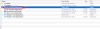
To solve the issue here is what I did. Go to Finder and then on the Menu click Go -> MacintoshHD -> Users -> "<UserName>" ->Applications -> "<Windows Machine Name> Applications Folder. Please see the image to make sure that you are clicking and opening the folder as indicated. This folder contains all the shortcuts -deleting any doesn't delete or uninstall the application but removes it from the launch. I hope this helps :)
 

Attachments

  • Screenshot 2014-11-22 18.35.42.png
    Screenshot 2014-11-22 18.35.42.png
    166.3 KB · Views: 26
I recommend that Parallels remove this feature in the future. When I create a VM I do not want my VM to integrate with my mac in any way shape or form. I do not want shortcuts in my vm to my mac. I want my VM to be my VM. It is a play area, not a place where I need to worry about integration. Some people call this a feature, I call this a bug. I definitely do NOT want this to be the default behavior.
 
You can place it in your Public Desktop folder and it would allow you to place a shortcut on your Windows Machine, but not your Mac Desktop. In my case, the folder is located in C:\Users\Public\Desktop. If you cannot access it, click on the address bar and type it in.
 
I recommend that Parallels remove this feature in the future. When I create a VM I do not want my VM to integrate with my mac in any way shape or form. I do not want shortcuts in my vm to my mac. I want my VM to be my VM. It is a play area, not a place where I need to worry about integration. Some people call this a feature, I call this a bug. I definitely do NOT want this to be the default behavior.
If you would like to isolate your VM from Mac please perform the steps below:
1. Open VM configurations (Actions -> configurations)
2. In the configurations window go to the "Security" tab and click on the "Isolate Windows from Mac option"
 
Back
Top