Resolution problem Windows 10 (Upgrade from Windows 8.1)

MarcusS1

Bit poster
Hi Support-Team,
I've an issue with Parallels Version for Mac 11.1.2 (32408).
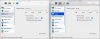
I have installed Windows 10 (Upgrade from Windows 8.1). I am working with an external Thunderbolt display (27") and the resolution in Windows 10 is corrupt. A colleague of mine has the same Parallels environment. The only different is he updated from Windows 7. We have matched the settings. That's the result.

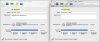
Parallels settings of my colleague:
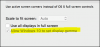
upload_2016-1-21_8-17-6.png

My Parallels settings:
upload_2016-1-21_8-19-44.png

What can I do to fix the issue.
Thanks for your support in advance.
 
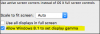
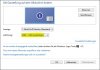
Dear Marcus, It shows "Allow Windows 8.1 to set display gamma" because you haven't change the name of the Windows 10 virtual machine. In order to fix the issue, please shut down the virtual machine and open virtual machine configuration, go to General tab and select Windows 8.1 to choose Windows 10 and then restart your Windows virtual machine and check the settings.
 
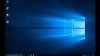
Hi, I changed the settings to Windows 10. Unfortunately, it is not working. The resolution of Windows 10 looks not correct (see attached screenshot). That's the view in the VM.
windows10_parallels.JPG
 
Last edited:
Dear Marcus,
1. Start Parallels Desktop.
2. Go to your virtual machine's Configuration > Options tab > Full Screen.
Also, please refer to this article to Keep custom screen resolution in Parallels Desktop.
 
Hi, not working. Windows stretch all icons etc.
I also have a Windows 8.1 VM. The resolution works perfectly. I dont know what's going wrong.
Any other Idea?
 
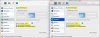
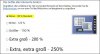
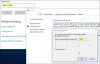
I have compared the settings between Windows 8.1 and Windows 10. Windows 8.1 works perfectly. The only difference is the resolution in Windows 8.1. Here I can choose 2560 x 1440. In Windows 10 the max. resolution is 1920 x 1200. Maybe that's the key...?
Please see attached screenshot.
parallels_settings_01.JPG parallels_settings_02.JPG parallels_settings_03.JPG windows_8.1_resolution.JPG windows_8.1_size.JPG windows_10_resolution_sizing.JPG
 
Back
Top