Chris_Caputo
Bit poster
Environment:
Parallels Desktop 9.0.24251.1052177 and a trial of 10.1.1-28614.
Retina iMac 5k, with Yosemite, and 2 external monitors. Windows XP guest.
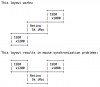
In Coherence mode, mouse horizontal synchronization is broken. I have tried all three SmartMouse settings and it hasn't helped. Reinstall of Parallels Tools hasn't helped.
I can drag a Windows window and see the mouse horizontally drift from the position of the click at the start of the drag, in proportion to the distance dragged.
In a blank Excel document, maximized, I can click cells and observe cells to the right become highlighted, rather than the cell at the mouse pointer.
Vertical tracking is fine.
I have tested multiple resolutions and both the 5k iMac screen and the external displays and they all illustrate the problem.
With the same Windows XP VM, this problem does not happen on a Retina MacBook Pro 13".
Has anyone else observed this or have a suggestion? I suspect I may be an early observer of this, given that the Retina iMac's just came out.
Parallels Desktop 9.0.24251.1052177 and a trial of 10.1.1-28614.
Retina iMac 5k, with Yosemite, and 2 external monitors. Windows XP guest.
In Coherence mode, mouse horizontal synchronization is broken. I have tried all three SmartMouse settings and it hasn't helped. Reinstall of Parallels Tools hasn't helped.
I can drag a Windows window and see the mouse horizontally drift from the position of the click at the start of the drag, in proportion to the distance dragged.
In a blank Excel document, maximized, I can click cells and observe cells to the right become highlighted, rather than the cell at the mouse pointer.
Vertical tracking is fine.
I have tested multiple resolutions and both the 5k iMac screen and the external displays and they all illustrate the problem.
With the same Windows XP VM, this problem does not happen on a Retina MacBook Pro 13".
Has anyone else observed this or have a suggestion? I suspect I may be an early observer of this, given that the Retina iMac's just came out.