
Install the app
How to install the app on iOS
Follow along with the video below to see how to install our site as a web app on your home screen.
Note: This feature may not be available in some browsers.
You are using an out of date browser. It may not display this or other websites correctly.
You should upgrade or use an alternative browser.
You should upgrade or use an alternative browser.
Running Mac OS X Mavericks 10.9 in Parallels Desktop 8 for Mac Virtual Machine
- Thread starter kenmadsen
- Start date

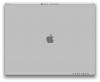
Parallels Desktop Build 8.0.18483 (Revision 860857; Sat, 30 Mar 2013):
-I've tried installing from /Applications/Install OS X 10.9 Developer Preview.app/installESD.dmg - Failed (won't boot from image)
-Installed 10.8 in Parallels and tried to copy the Install OS X 10.9 Developer Preview.app from the shared folder - Failed (couldn't copy the file)
-Downloaded it in the 10.8 vm's appstore and press install - Failed (Stuck on first boot)
VMware Fusion Professional Version 5.0.3 (1040386):
-Installing from installESD.img - Failed (won't boot from image)
-Upgrade 10.8 to 10.9 from AppStore - Success
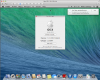
Starting the profiler crashes the finder, didn't test without VMware tools.
On Physical Machine (MBpro Retina 15"):
-Booting installESD.img from DVD-DL (to see if it's bootable at all) - ??? (Failed to burn, stuck on lead-out, I only had 1 DL left to test)
-Upgrade 10.8 to 10.9 from AppStore - Success
-Running Parallels on 10.9 - Failed
Anonymous UUID: 21C68E29-C15A-BDD1-A46B-C9E1A0510660
Thu Jun 13 14:03:55 2013
panic(cpu 4 caller 0xffffff800e2da08e): Kernel trap at 0xffffff800e646f6e, type 14=page fault, registers:
CR0: 0x000000008001003b, CR2: 0x0000000000000038, CR3: 0x000000001103b000, CR4: 0x00000000001606e0
RAX: 0x0000000000000000, RBX: 0xffffff800e902548, RCX: 0xffffff800e869040, RDX: 0xffffff802fb36d20
RSP: 0xffffff81dfe1bcb0, RBP: 0xffffff81dfe1bcd0, RSI: 0xffffff800e902548, RDI: 0xffffff8031154400
R8: 0xffffff81d64e5078, R9: 0x0000000000000000, R10: 0xffffff81dfe1ba80, R11: 0x0000000000000000
R12: 0xffffff800e902548, R13: 0xffffff8031161200, R14: 0x0000000000000000, R15: 0xffffff8031154400
RFL: 0x0000000000010286, RIP: 0xffffff800e646f6e, CS: 0x0000000000000008, SS: 0x0000000000000010
Fault CR2: 0x0000000000000038, Error code: 0x0000000000000000, Fault CPU: 0x4
Backtrace (CPU 4), Frame : Return Address
0xffffff81dfe1b940 : 0xffffff800e222a29
0xffffff81dfe1b9c0 : 0xffffff800e2da08e
0xffffff81dfe1bb90 : 0xffffff800e2f102c
0xffffff81dfe1bbb0 : 0xffffff800e646f6e
0xffffff81dfe1bcd0 : 0xffffff7f8efbeed5
0xffffff81dfe1bd10 : 0xffffff7f8efbec64
0xffffff81dfe1bd70 : 0xffffff7f8efbf0f1
0xffffff81dfe1bde0 : 0xffffff7f8efad305
0xffffff81dfe1be10 : 0xffffff7f8efb7242
0xffffff81dfe1be40 : 0xffffff800e68fa79
0xffffff81dfe1bea0 : 0xffffff800e68f28a
0xffffff81dfe1bf30 : 0xffffff800e68b449
0xffffff81dfe1bf70 : 0xffffff800e690393
0xffffff81dfe1bfb0 : 0xffffff800e2d49e7
Kernel Extensions in backtrace:
com.apple.iokit.IOHIDFamily(2.0)[FD3252B5-3BCE-30C0-B786-A29E13B21DC6]@0xffffff7f8efa9000->0xffffff7f8f01afff
dependency: com.apple.driver.AppleFDEKeyStore(28.30)[558B2575-5197-3C4C-BAD2-8CB465638FA8]@0xffffff7f8ef9e000
BSD process name corresponding to current thread: kernel_task
Mac OS version:
13A476u
Kernel version:
Darwin Kernel Version 13.0.0: Sat Jun 1 01:13:40 PDT 2013; root:xnu-2422.1.4.1.8~1/RELEASE_X86_64
Kernel UUID: 5279E90E-C9C1-3F4D-B386-2798E9BB99BA
Kernel slide: 0x000000000e000000
Kernel text base: 0xffffff800e200000
System model name: MacBookPro10,1 (Mac-C3EC7CD22292981F)
System uptime in nanoseconds: 2846317651
last loaded kext at 1750648411: com.Logitech.Unifying.HID Driver 1.2.0 (addr 0xffffff7f8f160000, size 94208)
loaded kexts:
com.Logitech.Unifying.HID Driver 1.2.0
com.Logitech.Control Center.HID Driver 3.6.0
com.apple.driver.AppleUSBTCButtons 240.2
com.apple.driver.AppleUSBTCKeyEventDriver 240.2
com.apple.driver.AppleUSBTCKeyboard 240.2
com.apple.iokit.SCSITaskUserClient 3.6.0
com.apple.driver.AppleFireWireStorage 3.3.0
com.apple.driver.initioFWBridge 3.3.0
com.apple.driver.IOFireWireSerialBusProtocolSansPhysicalUnit 3.3.0
com.apple.driver.LSI_FW_500 3.3.0
com.apple.driver.Oxford_Semi 3.3.0
com.apple.driver.StorageLynx 3.3.0
com.apple.driver.CoreStorageFsck 374
com.apple.driver.AppleFileSystemDriver 3.0.1
com.apple.AppleFSCompression.AppleFSCompressionTypeDataless 1.0.0d1
com.apple.AppleFSCompression.AppleFSCompressionTypeZlib 1.0.0d1
com.apple.BootCache 35
com.apple.driver.AppleUSBOHCI 650.3.9
com.apple.driver.AppleFWOHCI 4.9.8
com.apple.driver.XsanFilter 404
com.apple.iokit.IOAHCIBlockStorage 2.4.0
com.apple.driver.AppleUSBHub 650.3.16
com.apple.driver.AppleSDXC 1.4.0
com.apple.iokit.AppleBCM5701Ethernet 3.6.8b5
com.apple.driver.AirPort.Brcm4360 800.15.10
com.apple.driver.AppleAHCIPort 2.8.0
com.apple.driver.AppleUSBEHCI 650.3.13
com.apple.driver.AppleUSBXHCI 650.3.17
com.apple.driver.AppleSmartBatteryManager 161.0.0
com.apple.driver.AppleRTC 2.0
com.apple.driver.AppleACPIButtons 2.0
com.apple.driver.AppleHPET 1.8
com.apple.driver.AppleSMBIOS 2.0
com.apple.driver.AppleACPIEC 2.0
com.apple.driver.AppleAPIC 1.7
com.apple.driver.AppleIntelCPUPowerManagementClient 215.0.0
com.apple.nke.applicationfirewall 152
com.apple.security.quarantine 3
com.apple.driver.AppleIntelCPUPowerManagement 215.0.0
com.apple.driver.AppleUSBMultitouch 240.6
com.apple.iokit.IOSCSIBlockCommandsDevice 3.6.0
com.apple.driver.IOBluetoothHIDDriver 4.2.0b3
com.apple.iokit.IOBluetoothFamily 4.2.0b3
com.apple.iokit.IOUSBHIDDriver 650.3.15
com.apple.iokit.IOUSBMassStorageClass 3.6.0
com.apple.iokit.IOSCSIMultimediaCommandsDevice 3.6.0
com.apple.iokit.IOBDStorageFamily 1.7
com.apple.iokit.IODVDStorageFamily 1.7.1
com.apple.iokit.IOCDStorageFamily 1.7.1
com.apple.driver.AppleThunderboltDPOutAdapter 2.5.0
com.apple.driver.AppleThunderboltDPInAdapter 2.5.0
com.apple.driver.AppleThunderboltDPAdapterFamily 2.5.0
com.apple.driver.AppleThunderboltPCIUpAdapter 1.3.0
com.apple.driver.AppleThunderboltPCIDownAdapter 1.3.0
com.apple.iokit.IOFireWireSerialBusProtocolTransport 2.5.1
com.apple.iokit.IOSCSIArchitectureModelFamily 3.6.0
com.apple.iokit.IOFireWireSBP2 4.2.3
com.apple.driver.CoreStorage 374
com.apple.driver.AppleUSBMergeNub 650.3.17
com.apple.driver.AppleUSBComposite 650.3.9
com.apple.iokit.IOFireWireFamily 4.5.5
com.apple.driver.AppleThunderboltNHI 1.9.2
com.apple.iokit.IOThunderboltFamily 2.7.3
com.apple.iokit.IOEthernetAVBController 1.0.3b3
com.apple.iokit.IOUSBUserClient 650.3.11
com.apple.iokit.IO80211Family 600.31
com.apple.driver.mDNSOffloadUserClient 1.0.1b3
com.apple.iokit.IONetworkingFamily 3.2
com.apple.iokit.IOAHCIFamily 2.6.0
com.apple.iokit.IOUSBFamily 650.3.17
com.apple.driver.AppleEFINVRAM 2.0
com.apple.driver.AppleEFIRuntime 2.0
com.apple.iokit.IOHIDFamily 2.0.0
com.apple.iokit.IOSMBusFamily 1.1
com.apple.security.sandbox 272
com.apple.kext.AppleMatch 1.0.0d1
com.apple.security.TMSafetyNet 7
com.apple.driver.AppleKeyStore 2
com.apple.driver.DiskImages 367
com.apple.iokit.IOStorageFamily 1.9
com.apple.iokit.IOReportFamily 1.0
com.apple.driver.AppleFDEKeyStore 28.30
com.apple.driver.AppleACPIPlatform 2.0
com.apple.iokit.IOPCIFamily 2.8
com.apple.iokit.IOACPIFamily 1.4
com.apple.kec.pthread 1
com.apple.kec.corecrypto 1.0
-I've tried installing from /Applications/Install OS X 10.9 Developer Preview.app/installESD.dmg - Failed (won't boot from image)
-Installed 10.8 in Parallels and tried to copy the Install OS X 10.9 Developer Preview.app from the shared folder - Failed (couldn't copy the file)
-Downloaded it in the 10.8 vm's appstore and press install - Failed (Stuck on first boot)
VMware Fusion Professional Version 5.0.3 (1040386):
-Installing from installESD.img - Failed (won't boot from image)
-Upgrade 10.8 to 10.9 from AppStore - Success
Starting the profiler crashes the finder, didn't test without VMware tools.
On Physical Machine (MBpro Retina 15"):
-Booting installESD.img from DVD-DL (to see if it's bootable at all) - ??? (Failed to burn, stuck on lead-out, I only had 1 DL left to test)
-Upgrade 10.8 to 10.9 from AppStore - Success
-Running Parallels on 10.9 - Failed
Anonymous UUID: 21C68E29-C15A-BDD1-A46B-C9E1A0510660
Thu Jun 13 14:03:55 2013
panic(cpu 4 caller 0xffffff800e2da08e): Kernel trap at 0xffffff800e646f6e, type 14=page fault, registers:
CR0: 0x000000008001003b, CR2: 0x0000000000000038, CR3: 0x000000001103b000, CR4: 0x00000000001606e0
RAX: 0x0000000000000000, RBX: 0xffffff800e902548, RCX: 0xffffff800e869040, RDX: 0xffffff802fb36d20
RSP: 0xffffff81dfe1bcb0, RBP: 0xffffff81dfe1bcd0, RSI: 0xffffff800e902548, RDI: 0xffffff8031154400
R8: 0xffffff81d64e5078, R9: 0x0000000000000000, R10: 0xffffff81dfe1ba80, R11: 0x0000000000000000
R12: 0xffffff800e902548, R13: 0xffffff8031161200, R14: 0x0000000000000000, R15: 0xffffff8031154400
RFL: 0x0000000000010286, RIP: 0xffffff800e646f6e, CS: 0x0000000000000008, SS: 0x0000000000000010
Fault CR2: 0x0000000000000038, Error code: 0x0000000000000000, Fault CPU: 0x4
Backtrace (CPU 4), Frame : Return Address
0xffffff81dfe1b940 : 0xffffff800e222a29
0xffffff81dfe1b9c0 : 0xffffff800e2da08e
0xffffff81dfe1bb90 : 0xffffff800e2f102c
0xffffff81dfe1bbb0 : 0xffffff800e646f6e
0xffffff81dfe1bcd0 : 0xffffff7f8efbeed5
0xffffff81dfe1bd10 : 0xffffff7f8efbec64
0xffffff81dfe1bd70 : 0xffffff7f8efbf0f1
0xffffff81dfe1bde0 : 0xffffff7f8efad305
0xffffff81dfe1be10 : 0xffffff7f8efb7242
0xffffff81dfe1be40 : 0xffffff800e68fa79
0xffffff81dfe1bea0 : 0xffffff800e68f28a
0xffffff81dfe1bf30 : 0xffffff800e68b449
0xffffff81dfe1bf70 : 0xffffff800e690393
0xffffff81dfe1bfb0 : 0xffffff800e2d49e7
Kernel Extensions in backtrace:
com.apple.iokit.IOHIDFamily(2.0)[FD3252B5-3BCE-30C0-B786-A29E13B21DC6]@0xffffff7f8efa9000->0xffffff7f8f01afff
dependency: com.apple.driver.AppleFDEKeyStore(28.30)[558B2575-5197-3C4C-BAD2-8CB465638FA8]@0xffffff7f8ef9e000
BSD process name corresponding to current thread: kernel_task
Mac OS version:
13A476u
Kernel version:
Darwin Kernel Version 13.0.0: Sat Jun 1 01:13:40 PDT 2013; root:xnu-2422.1.4.1.8~1/RELEASE_X86_64
Kernel UUID: 5279E90E-C9C1-3F4D-B386-2798E9BB99BA
Kernel slide: 0x000000000e000000
Kernel text base: 0xffffff800e200000
System model name: MacBookPro10,1 (Mac-C3EC7CD22292981F)
System uptime in nanoseconds: 2846317651
last loaded kext at 1750648411: com.Logitech.Unifying.HID Driver 1.2.0 (addr 0xffffff7f8f160000, size 94208)
loaded kexts:
com.Logitech.Unifying.HID Driver 1.2.0
com.Logitech.Control Center.HID Driver 3.6.0
com.apple.driver.AppleUSBTCButtons 240.2
com.apple.driver.AppleUSBTCKeyEventDriver 240.2
com.apple.driver.AppleUSBTCKeyboard 240.2
com.apple.iokit.SCSITaskUserClient 3.6.0
com.apple.driver.AppleFireWireStorage 3.3.0
com.apple.driver.initioFWBridge 3.3.0
com.apple.driver.IOFireWireSerialBusProtocolSansPhysicalUnit 3.3.0
com.apple.driver.LSI_FW_500 3.3.0
com.apple.driver.Oxford_Semi 3.3.0
com.apple.driver.StorageLynx 3.3.0
com.apple.driver.CoreStorageFsck 374
com.apple.driver.AppleFileSystemDriver 3.0.1
com.apple.AppleFSCompression.AppleFSCompressionTypeDataless 1.0.0d1
com.apple.AppleFSCompression.AppleFSCompressionTypeZlib 1.0.0d1
com.apple.BootCache 35
com.apple.driver.AppleUSBOHCI 650.3.9
com.apple.driver.AppleFWOHCI 4.9.8
com.apple.driver.XsanFilter 404
com.apple.iokit.IOAHCIBlockStorage 2.4.0
com.apple.driver.AppleUSBHub 650.3.16
com.apple.driver.AppleSDXC 1.4.0
com.apple.iokit.AppleBCM5701Ethernet 3.6.8b5
com.apple.driver.AirPort.Brcm4360 800.15.10
com.apple.driver.AppleAHCIPort 2.8.0
com.apple.driver.AppleUSBEHCI 650.3.13
com.apple.driver.AppleUSBXHCI 650.3.17
com.apple.driver.AppleSmartBatteryManager 161.0.0
com.apple.driver.AppleRTC 2.0
com.apple.driver.AppleACPIButtons 2.0
com.apple.driver.AppleHPET 1.8
com.apple.driver.AppleSMBIOS 2.0
com.apple.driver.AppleACPIEC 2.0
com.apple.driver.AppleAPIC 1.7
com.apple.driver.AppleIntelCPUPowerManagementClient 215.0.0
com.apple.nke.applicationfirewall 152
com.apple.security.quarantine 3
com.apple.driver.AppleIntelCPUPowerManagement 215.0.0
com.apple.driver.AppleUSBMultitouch 240.6
com.apple.iokit.IOSCSIBlockCommandsDevice 3.6.0
com.apple.driver.IOBluetoothHIDDriver 4.2.0b3
com.apple.iokit.IOBluetoothFamily 4.2.0b3
com.apple.iokit.IOUSBHIDDriver 650.3.15
com.apple.iokit.IOUSBMassStorageClass 3.6.0
com.apple.iokit.IOSCSIMultimediaCommandsDevice 3.6.0
com.apple.iokit.IOBDStorageFamily 1.7
com.apple.iokit.IODVDStorageFamily 1.7.1
com.apple.iokit.IOCDStorageFamily 1.7.1
com.apple.driver.AppleThunderboltDPOutAdapter 2.5.0
com.apple.driver.AppleThunderboltDPInAdapter 2.5.0
com.apple.driver.AppleThunderboltDPAdapterFamily 2.5.0
com.apple.driver.AppleThunderboltPCIUpAdapter 1.3.0
com.apple.driver.AppleThunderboltPCIDownAdapter 1.3.0
com.apple.iokit.IOFireWireSerialBusProtocolTransport 2.5.1
com.apple.iokit.IOSCSIArchitectureModelFamily 3.6.0
com.apple.iokit.IOFireWireSBP2 4.2.3
com.apple.driver.CoreStorage 374
com.apple.driver.AppleUSBMergeNub 650.3.17
com.apple.driver.AppleUSBComposite 650.3.9
com.apple.iokit.IOFireWireFamily 4.5.5
com.apple.driver.AppleThunderboltNHI 1.9.2
com.apple.iokit.IOThunderboltFamily 2.7.3
com.apple.iokit.IOEthernetAVBController 1.0.3b3
com.apple.iokit.IOUSBUserClient 650.3.11
com.apple.iokit.IO80211Family 600.31
com.apple.driver.mDNSOffloadUserClient 1.0.1b3
com.apple.iokit.IONetworkingFamily 3.2
com.apple.iokit.IOAHCIFamily 2.6.0
com.apple.iokit.IOUSBFamily 650.3.17
com.apple.driver.AppleEFINVRAM 2.0
com.apple.driver.AppleEFIRuntime 2.0
com.apple.iokit.IOHIDFamily 2.0.0
com.apple.iokit.IOSMBusFamily 1.1
com.apple.security.sandbox 272
com.apple.kext.AppleMatch 1.0.0d1
com.apple.security.TMSafetyNet 7
com.apple.driver.AppleKeyStore 2
com.apple.driver.DiskImages 367
com.apple.iokit.IOStorageFamily 1.9
com.apple.iokit.IOReportFamily 1.0
com.apple.driver.AppleFDEKeyStore 28.30
com.apple.driver.AppleACPIPlatform 2.0
com.apple.iokit.IOPCIFamily 2.8
com.apple.iokit.IOACPIFamily 1.4
com.apple.kec.pthread 1
com.apple.kec.corecrypto 1.0
Last edited:
JaxonTiger
Bit poster
I'm having the same symptoms, kenmadsen
JaxonTiger
Bit poster
Also, Parallels won't even recognize the DMG as OS X
Join the club. There is one person who has posted a way to install OS X Mavericks in a VMWare virtual machine:
http://pastebin.com/4kG5ChsP
I've been somewhat wary to do this since I don't want to hose my work machines... Has anyone else given it a try? Does this just create the VM volume? I don't really see how this ties in with VMWare at all.
http://pastebin.com/4kG5ChsP
I've been somewhat wary to do this since I don't want to hose my work machines... Has anyone else given it a try? Does this just create the VM volume? I don't really see how this ties in with VMWare at all.
P
Parallels User
>>> Message has been deleted by the user <<<
Glad I read this before I tried. I have no interest in hosing my dev machine, yet I need to test my stuff in the new Xcode/iOS 7/Mavericks. I hope Parallels comes out with an update soon.
You would think that now that OS X can be virtualized, Apple would work with Paralleles to ensure that it is ready for day one. Devs don't want to install a preview OS any other way if they can.
You would think that now that OS X can be virtualized, Apple would work with Paralleles to ensure that it is ready for day one. Devs don't want to install a preview OS any other way if they can.

Andrew@Parallels
Parallels Team
Hi folks,
Apple has released Mac OS X Maverick 10.9 Developer Preview on June 10 and Parallels Team is currently testing its compatibility with Parallels Desktop for Mac.
Stay tuned – we will update this forum thread as soon as we have some news!
Apple has released Mac OS X Maverick 10.9 Developer Preview on June 10 and Parallels Team is currently testing its compatibility with Parallels Desktop for Mac.
Stay tuned – we will update this forum thread as soon as we have some news!
anakin0908
Bit poster
I also have this problem. When can this be fixed?
I'm having an issue with the new dev release of Maverick.
I created a 10.8 vm and upgraded the vm to Maverick, but it doesn't boot, it just sits there at the dark grey apple logo and eats all my memory
Has anyone been able to get a Maverick vm working?
How are you building the VM using the Mountain Lion recovery? When I attempt to do that -- using Install OS X Mountain Lion using the Recovery Partition -- all I get is the ever-popular "There is no operating system installed in this virtual machine. Please insert an operating system installation CD into the optical drive of your Mac and restart the virtual machine." Not very helpful, considering that it's supposed to know to go to the Recovery Partition to download the OS. What did you do differently, step by step for those of us who aren't grokking this right now.
Last edited by a moderator:
Wolf_Racer
Bit poster
I have load the dmg file, and it says press start in OS Mavericks screen. I press start and it shows black screen with words (like 4 gig, etc) and then goes back to the same screen. Wont install basically.
Ideas?
Ideas?
Last edited by a moderator:
Andrew@Parallels
Parallels Team
Hi All,
Some information posted on this forum had to be removed as Parallels Team is testing Mac OS X Mavericks compatibility in Parallels Desktop virtual machines.
We will update this thread as more information and updates is available.
Thanks for your understanding.
Some information posted on this forum had to be removed as Parallels Team is testing Mac OS X Mavericks compatibility in Parallels Desktop virtual machines.
We will update this thread as more information and updates is available.
Thanks for your understanding.
Hi All,
Some information posted on this forum had to be removed as Parallels Team is testing Mac OS X Mavericks compatibility in Parallels Desktop virtual machines.
We will update this thread as more information and updates is available.
Thanks for your understanding.
I'm up for Beta testing if needed!
Julio.Bouza
Bit poster
I have tried everything as well and no luck. I even created a new VM from recovery under 10.8.4 and tried to upgrade to 10.9 Preview and no luck. It goes through the process, restarts and it just hangs on the gray screen. But it does seem to install successfully in VMWare Fusion taking the 10.8.4 from Parallel, importing it to VMWare and running the upgrade there. Hopefully Parallel will release a version that it will allow Mavericks to be installed. I would love to also beta test.
My post is gone after editing it:
Parallels Desktop Build 8.0.18483 (Revision 860857; Sat, 30 Mar 2013):
-I've tried installing from /Applications/Install OS X 10.9 Developer Preview.app/installESD.dmg - Failed (won't boot from image)
-Installed 10.8 in Parallels and tried to copy the Install OS X 10.9 Developer Preview.app from the shared folder - Failed (couldn't copy the file)
-Downloaded it in the 10.8 vm's appstore and press install - Failed (Stuck on first boot)
View attachment 6892
VMware Fusion Professional Version 5.0.3 (1040386):
-Installing from installESD.img - Failed (won't boot from image)
-Upgrade 10.8 to 10.9 from AppStore - Success
View attachment 6893
Starting the profiler crashes the finder, didn't test without VMware tools.
On Physical Machine (MBpro Retina 15"):
-Booting installESD.img from DVD-DL (to see if it's bootable at all) - ??? (Failed to burn, stuck on lead-out, I only had 1 DL left to test)
-Upgrade 10.8 to 10.9 from AppStore - Success
-Running Parallels on 10.9 - Failed
Anonymous UUID: 21C68E29-C15A-BDD1-A46B-C9E1A0510660
Thu Jun 13 14:03:55 2013
panic(cpu 4 caller 0xffffff800e2da08e): Kernel trap at 0xffffff800e646f6e, type 14=page fault, registers:
CR0: 0x000000008001003b, CR2: 0x0000000000000038, CR3: 0x000000001103b000, CR4: 0x00000000001606e0
RAX: 0x0000000000000000, RBX: 0xffffff800e902548, RCX: 0xffffff800e869040, RDX: 0xffffff802fb36d20
RSP: 0xffffff81dfe1bcb0, RBP: 0xffffff81dfe1bcd0, RSI: 0xffffff800e902548, RDI: 0xffffff8031154400
R8: 0xffffff81d64e5078, R9: 0x0000000000000000, R10: 0xffffff81dfe1ba80, R11: 0x0000000000000000
R12: 0xffffff800e902548, R13: 0xffffff8031161200, R14: 0x0000000000000000, R15: 0xffffff8031154400
RFL: 0x0000000000010286, RIP: 0xffffff800e646f6e, CS: 0x0000000000000008, SS: 0x0000000000000010
Fault CR2: 0x0000000000000038, Error code: 0x0000000000000000, Fault CPU: 0x4
Backtrace (CPU 4), Frame : Return Address
0xffffff81dfe1b940 : 0xffffff800e222a29
0xffffff81dfe1b9c0 : 0xffffff800e2da08e
0xffffff81dfe1bb90 : 0xffffff800e2f102c
0xffffff81dfe1bbb0 : 0xffffff800e646f6e
0xffffff81dfe1bcd0 : 0xffffff7f8efbeed5
0xffffff81dfe1bd10 : 0xffffff7f8efbec64
0xffffff81dfe1bd70 : 0xffffff7f8efbf0f1
0xffffff81dfe1bde0 : 0xffffff7f8efad305
0xffffff81dfe1be10 : 0xffffff7f8efb7242
0xffffff81dfe1be40 : 0xffffff800e68fa79
0xffffff81dfe1bea0 : 0xffffff800e68f28a
0xffffff81dfe1bf30 : 0xffffff800e68b449
0xffffff81dfe1bf70 : 0xffffff800e690393
0xffffff81dfe1bfb0 : 0xffffff800e2d49e7
Kernel Extensions in backtrace:
com.apple.iokit.IOHIDFamily(2.0)[FD3252B5-3BCE-30C0-B786-A29E13B21DC6]@0xffffff7f8efa9000->0xffffff7f8f01afff
dependency: com.apple.driver.AppleFDEKeyStore(28.30)[558B2575-5197-3C4C-BAD2-8CB465638FA8]@0xffffff7f8ef9e000
BSD process name corresponding to current thread: kernel_task
Mac OS version:
13A476u
Parallels Desktop Build 8.0.18483 (Revision 860857; Sat, 30 Mar 2013):
-I've tried installing from /Applications/Install OS X 10.9 Developer Preview.app/installESD.dmg - Failed (won't boot from image)
-Installed 10.8 in Parallels and tried to copy the Install OS X 10.9 Developer Preview.app from the shared folder - Failed (couldn't copy the file)
-Downloaded it in the 10.8 vm's appstore and press install - Failed (Stuck on first boot)
View attachment 6892
VMware Fusion Professional Version 5.0.3 (1040386):
-Installing from installESD.img - Failed (won't boot from image)
-Upgrade 10.8 to 10.9 from AppStore - Success
View attachment 6893
Starting the profiler crashes the finder, didn't test without VMware tools.
On Physical Machine (MBpro Retina 15"):
-Booting installESD.img from DVD-DL (to see if it's bootable at all) - ??? (Failed to burn, stuck on lead-out, I only had 1 DL left to test)
-Upgrade 10.8 to 10.9 from AppStore - Success
-Running Parallels on 10.9 - Failed
Anonymous UUID: 21C68E29-C15A-BDD1-A46B-C9E1A0510660
Thu Jun 13 14:03:55 2013
panic(cpu 4 caller 0xffffff800e2da08e): Kernel trap at 0xffffff800e646f6e, type 14=page fault, registers:
CR0: 0x000000008001003b, CR2: 0x0000000000000038, CR3: 0x000000001103b000, CR4: 0x00000000001606e0
RAX: 0x0000000000000000, RBX: 0xffffff800e902548, RCX: 0xffffff800e869040, RDX: 0xffffff802fb36d20
RSP: 0xffffff81dfe1bcb0, RBP: 0xffffff81dfe1bcd0, RSI: 0xffffff800e902548, RDI: 0xffffff8031154400
R8: 0xffffff81d64e5078, R9: 0x0000000000000000, R10: 0xffffff81dfe1ba80, R11: 0x0000000000000000
R12: 0xffffff800e902548, R13: 0xffffff8031161200, R14: 0x0000000000000000, R15: 0xffffff8031154400
RFL: 0x0000000000010286, RIP: 0xffffff800e646f6e, CS: 0x0000000000000008, SS: 0x0000000000000010
Fault CR2: 0x0000000000000038, Error code: 0x0000000000000000, Fault CPU: 0x4
Backtrace (CPU 4), Frame : Return Address
0xffffff81dfe1b940 : 0xffffff800e222a29
0xffffff81dfe1b9c0 : 0xffffff800e2da08e
0xffffff81dfe1bb90 : 0xffffff800e2f102c
0xffffff81dfe1bbb0 : 0xffffff800e646f6e
0xffffff81dfe1bcd0 : 0xffffff7f8efbeed5
0xffffff81dfe1bd10 : 0xffffff7f8efbec64
0xffffff81dfe1bd70 : 0xffffff7f8efbf0f1
0xffffff81dfe1bde0 : 0xffffff7f8efad305
0xffffff81dfe1be10 : 0xffffff7f8efb7242
0xffffff81dfe1be40 : 0xffffff800e68fa79
0xffffff81dfe1bea0 : 0xffffff800e68f28a
0xffffff81dfe1bf30 : 0xffffff800e68b449
0xffffff81dfe1bf70 : 0xffffff800e690393
0xffffff81dfe1bfb0 : 0xffffff800e2d49e7
Kernel Extensions in backtrace:
com.apple.iokit.IOHIDFamily(2.0)[FD3252B5-3BCE-30C0-B786-A29E13B21DC6]@0xffffff7f8efa9000->0xffffff7f8f01afff
dependency: com.apple.driver.AppleFDEKeyStore(28.30)[558B2575-5197-3C4C-BAD2-8CB465638FA8]@0xffffff7f8ef9e000
BSD process name corresponding to current thread: kernel_task
Mac OS version:
13A476u