
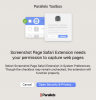
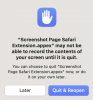
The Screenshot Page tool is now broken. It used to work before upgrading to the new MacOS (13.0, Ventura) last week. With Ventura, I now keep getting the infamous "Screenshot Page Safari Extension needs your permission to capture web pages" box. The error keeps coming up even after following the instructions in it.
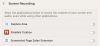
I keep turning the extension toggle switch ON in System Preferences, but it remains OFF. I have done everything (multiple times and in different order): restarting Safari, disable/reenable the extension in Safari, restarting the computer, ....
I have the latest version of Parallels Toolbox (6.0.1 (4541)) which was recently updated. C'mon guys! This is not a free product, so the least you can do it's to test it in all current macOS versions (Apple maintains the last 3 versions) *before* releasing a new version of the tool. Please fix this!
I keep turning the extension toggle switch ON in System Preferences, but it remains OFF. I have done everything (multiple times and in different order): restarting Safari, disable/reenable the extension in Safari, restarting the computer, ....
I have the latest version of Parallels Toolbox (6.0.1 (4541)) which was recently updated. C'mon guys! This is not a free product, so the least you can do it's to test it in all current macOS versions (Apple maintains the last 3 versions) *before* releasing a new version of the tool. Please fix this!
