Michael Aronis
Junior Member
Hello All,
I installed XP Pro via Parallels on a new iMac. I put it on my primary hard drive (SSD, 256 Gig) but wanted to put a clone on my second iMac Hard drive (2 TB) for my son to play Windows XP based games. I did not want to use up my SSD drive space with games. (Must say XP booting from the SSD is lighting fast LOL).
So... I cloned the VM (XP Pro) and designated a folder on my secondary iMac hard drive, and the Cloned XP OS ran fine. I then changed it's configuration by added a second virtual hard drive via the parallel tools. I then used Windows XP tools to allocate the new virtual hard drive, named it E: and formatted it. I Copied the games folders from my "Mac Environment" to the virtual machines second hard drive and edited my registry to point to the proper locations. I also moved another game folder from my Virtual Machines "C" drive to the "E" drive to bring all the game files to the same virtual hard drive.
With me so far?
So all three games ran fine (well, Mass Effect One does not like running on the virtual machine, but that's another issue), so I shut down that virtual machine (Game XP) and rebooted Work XP.
On Work XP I uninstalled the three games. All was fine.
I rebooted Game XP and my virtual E: Drive was no longer in the My Computer folder! I checked with Windows system tools and the Virtual hard drive shows up as unallocated!
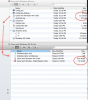
Back in the Mac Environment I looked at the .PVM file with "Show Package Contents" and the .hdd file for the second hard drive is there and shows 15 gigs of content.
So How Do I Recover this Virtual Hard Drive in Parallels without loosing that data?
Thank you,
Mike
(Max OS X Lion, latest version, Parallels Desktop 7, Windows XP Pro SP3 all latest updates, etc)
I installed XP Pro via Parallels on a new iMac. I put it on my primary hard drive (SSD, 256 Gig) but wanted to put a clone on my second iMac Hard drive (2 TB) for my son to play Windows XP based games. I did not want to use up my SSD drive space with games. (Must say XP booting from the SSD is lighting fast LOL).
So... I cloned the VM (XP Pro) and designated a folder on my secondary iMac hard drive, and the Cloned XP OS ran fine. I then changed it's configuration by added a second virtual hard drive via the parallel tools. I then used Windows XP tools to allocate the new virtual hard drive, named it E: and formatted it. I Copied the games folders from my "Mac Environment" to the virtual machines second hard drive and edited my registry to point to the proper locations. I also moved another game folder from my Virtual Machines "C" drive to the "E" drive to bring all the game files to the same virtual hard drive.
With me so far?
So all three games ran fine (well, Mass Effect One does not like running on the virtual machine, but that's another issue), so I shut down that virtual machine (Game XP) and rebooted Work XP.
On Work XP I uninstalled the three games. All was fine.
I rebooted Game XP and my virtual E: Drive was no longer in the My Computer folder! I checked with Windows system tools and the Virtual hard drive shows up as unallocated!
Back in the Mac Environment I looked at the .PVM file with "Show Package Contents" and the .hdd file for the second hard drive is there and shows 15 gigs of content.
So How Do I Recover this Virtual Hard Drive in Parallels without loosing that data?
Thank you,
Mike
(Max OS X Lion, latest version, Parallels Desktop 7, Windows XP Pro SP3 all latest updates, etc)