Settings Window Shown At Startup Every Time

NathanJ

Member
Every time I start (macOS Sierra), Parallels Access starts up as well. This is good because I want to always have access to my Mac.

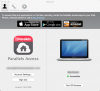
However, it also shows the Parallels Access settings screen every single time I start up and then of course I have to close it every time. I don't see anything to stop this. I don't want or need to see the settings screen. Please help.
 
It was selected. But you know what, when I unselected it it still came up at startup. After some investigation it looks like Parallels Access dropped a .plist file in both my user LaunchDaemon folder AND my /Library/LaunchDaemon folder. I deleted both and things are working like they should.

I installed Parallels Access when things switched over to the subscription model. The two .plist files have different content so maybe a later version didn't clean up after the earlier one.

For anyone else who may have this issue, the file to look for and delete is com.parallels.mobile.startgui.launchagent.plist
 
It was selected. But you know what, when I unselected it it still came up at startup. After some investigation it looks like Parallels Access dropped a .plist file in both my user LaunchDaemon folder AND my /Library/LaunchDaemon folder. I deleted both and things are working like they should.

I installed Parallels Access when things switched over to the subscription model. The two .plist files have different content so maybe a later version didn't clean up after the earlier one.

For anyone else who may have this issue, the file to look for and delete is com.parallels.mobile.startgui.launchagent.plist
Great! Thanks for sharing the information. Please feel free to reach us anytime for support.
 
Back
Top