I've created a shared folder in Windows that points to a particular Mac folder. (Configuration > Sharing > Share Mac > Custom Folders)
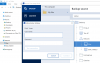
I'm interested in using Acronis True Image on the PC side to backup files on the Mac side. In Acronis, I can select the network drive (\\mac\documents\), but it can't access the files because it's asking for username/password to authenticate.
This is not a real high priority for me, but is there a particular username/password combo I should try to see if Acronis will connect? I've tried both Mac and Windows logins, and neither worked for me.
Thanks, Ernie
I'm interested in using Acronis True Image on the PC side to backup files on the Mac side. In Acronis, I can select the network drive (\\mac\documents\), but it can't access the files because it's asking for username/password to authenticate.
This is not a real high priority for me, but is there a particular username/password combo I should try to see if Acronis will connect? I've tried both Mac and Windows logins, and neither worked for me.
Thanks, Ernie