Shared Folder Issue

surferben182

Bit poster
Im using Paralels 3.0.4128 with OS 10.4.10 and I setup a shared folder, but when I try to access it via parallels (using Windows Vista Business), I get the following error:

\\.psf is not accessible. you might not have permission to use this network resource. contact the administrator of this server to find out if you have access permissions.

the network location cannot be reached for more info.

 
Hello,

try to do the following:
1. Open Control Panel->Network and Sharing Center->Manage network connection.
2. Right click Parallels Network Adapter and choose properties.
3. Click Install.
4. Choose Add service.
5. Click Have disk, browse for C:\Program Files\Parallels\Parallels Tools\PrlNP.inf and install it.
I hope it will help.

Best regards,
Stacey
 
PD menu >> Devices >> shared folders >> add

then in "My Computer" they all appear as network drives

O to Z becasue I share all my external had disks
and my Mac Desk top under my user name

search the forums for my repeated posts on shared folders for more details

KISS
use the Parellels interface under Mac OS to manage the VM

NOT repeat NOT the WinXP control panels


Hugh W
 
Last edited:
I have this same issue

I have build 3214, but I just updated from a previous version (don't know which) because I had this issue, which was not fixed by the update. I have Windows XP running as the guest system on a OS X 10.4 host.

I followed the 'manual' install instructions above, but got the same error message (on step five) as the other poster identifies.

Using the Parallels properties page, I have added the added the folder I want visible in the hosted XP install, but I still have the same issue.

The specifics:

Using a version of Parallels slightly older then 3214 (probably the previous release), I added a new shared folder using the properties page. I started an XP instance and that new shared folder was not available, however, an older shared folder was available.

At this point, I upgraded to the latest release and had the same issue.

I removed both shared folders from the Parallels control panel and added just the new folder. I still get the same error clicking on the Parallels shared folder on the XP desktop. Going to Network Neighborhood, I only see a link to the OLD and DELETED share I had created - the new shared folder is nowhere to be found. Clicking on the link to that old shared folder opens a login dialog with a login name that I do not recognize.

In short, shared folders are foobar'ed.
 
Reinstalling Tools does not help

Please see attached images.

Image Notes:
5. Double clicking the shared folder desktop icon pulls up this error message.
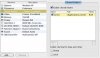
6. This is the folder that should be shared - Compare to image 8 below.
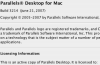
7. Parallels version (running on the latest 10.4.x OS X version)
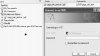
8. In Network Places, this is the only folder that shows up and it asks for a login I'm not familiar with. NOTE: This folder does not match the path that I am trying to share in image 6. This is an old shared folder that I removed from the sharing list and it has not updated to show the newly shared folder.
 

Attachments

  • Picture 5.jpg
    Picture 5.jpg
    16.5 KB · Views: 7
  • Picture 6.jpg
    Picture 6.jpg
    21.1 KB · Views: 5
  • Picture 7.png
    Picture 7.png
    18 KB · Views: 5
  • Picture 8.jpg
    Picture 8.jpg
    16.1 KB · Views: 6
Back
Top