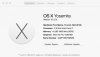
I just installed Solidworks 2013 on my Mac (see Mac specs attached) using Parallels 10.
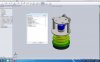
Some of the text in some of the Solidworks windows is jumbled up. See screen shot attached.
The font size on the main ribbon is also very small.
Any help would be appreciated.
I did search the forum but don't see anything like this issue.
Thanks
Some of the text in some of the Solidworks windows is jumbled up. See screen shot attached.
The font size on the main ribbon is also very small.
Any help would be appreciated.
I did search the forum but don't see anything like this issue.
Thanks