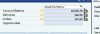
A number of important user interface elements (arrows, icons for buttons) in an application (SAP Business One) have disappeared after I upgraded from Parallels 5 to Parallels 7. I'm running Windows 7, and there was no problem displaying these items before. I tried restarted, and reinstalling the application from scratch. I tried repairing the registries. Nothing works.
See the attached jpegs... two sets of jpegs show "before" and "after"... the icons are there in the first, the icons are gone in the second.
The only thing that changed to make this happen was the parallels upgrade... immediately after the parallels upgrade is when I first noticed the missing icons.
Why is this happening? Only some of the icons are affected. Is it something that can be fixed? Any suggestions of things to try? Why would some icons just disappear from an application?
Thanks, Ted
See the attached jpegs... two sets of jpegs show "before" and "after"... the icons are there in the first, the icons are gone in the second.
The only thing that changed to make this happen was the parallels upgrade... immediately after the parallels upgrade is when I first noticed the missing icons.
Why is this happening? Only some of the icons are affected. Is it something that can be fixed? Any suggestions of things to try? Why would some icons just disappear from an application?
Thanks, Ted