Some Windows Apps doesn't show on dock in coherence mode

LuisM4

Bit poster
Hi,
I'm running Desktop version 12.1.3 and in one of the last updates something changed and now the apps I build with VisualStudio 2015 (WinForms) when launch doesn't appears on dock as they use to be.

Normally installed apps on windows appears properly but new build one didn't. The rest of the integration of coherence looks fine.
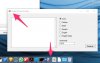
Extract_Words_Iniciales.jpg


Maybe I should say the VM goes sleep a couple of times w/o me asking for it, that never happen to me before.

Thanks in advance.
 
No, no. It happens with all the tiny apps I build with VisualStudio. I create a lot of small apps for back office maintence and now no one of them appears in dock as they use to be. I'm not sure it is happens in the last update of parallels or the previous or if its something else, maybe macOS updates this week...
 
No, no. It happens with all the tiny apps I build with VisualStudio. I create a lot of small apps for back office maintence and now no one of them appears in dock as they use to be. I'm not sure it is happens in the last update of parallels or the previous or if its something else, maybe macOS updates this week...
Ok, and do you have icons in this folder ~/Applications (Parallels)/ on the Mac side?
 
No, no. It happens with all the tiny apps I build with VisualStudio. I create a lot of small apps for back office maintence and now no one of them appears in dock as they use to be. I'm not sure it is happens in the last update of parallels or the previous or if its something else, maybe macOS updates this week...
And also how about launchpad? Do you have started apps in launchpad?
 
And also how about launchpad? Do you have started apps in launchpad?

For my tiny tools? No I don't. But there are others from VisualStudio Installation that shares the same Icon my ones used to have. I thing its the default icon VS assigns to apps while you don't provide a better one.
 
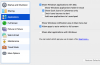
Hi @LuisM4, please try to isolate Windows and Mac restart your Windows and then un check "isolate Windows and Mac" option and check if that helps. Please click here for further assistance.
 
Hi @DalvanC,
You have a different problem than this topic. We are need more information about your issue. Please reproduce it and at the moment when you think that the Start menu should appear, send technical data (see http://kb.parallels.com/9058). After that post me a Problem Report ID.
Thank you,
Denis
 
Hello,
I have the same problem. When I debug applications in VS 2015, the icon sometimes doesn't show. I have the latest Version 13.2.0 (43213). I tried to change the isolation settings, but it didn't help.
Thanks,
Zbynek
 

Attachments

  • Screen Shot 2018-02-06 at 16.56.44.png
    Screen Shot 2018-02-06 at 16.56.44.png
    184.2 KB · Views: 4
I have the same problem, but only for programs running from a network drive. If I copy the program to the C-drive, there is no problem.
 
Back
Top