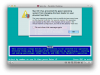
Here is how I installed SpinRite to my Mac.
I would like input on the resource settings that I chose.
I want to make sure that the instance gets the resources that it needs, but I don't want give it excessive resources that it cannot use.
I also realize that some users won't have a Windows instance to run the EXE. That is beyond this post's intent.
I am running version 9 on Mac OSX Mavericks.
------------------------
1. Download my copy of SR from GRC
2. Open SpinRite EXE from Windows Parallels instance and Create ISO
3. Install the SpinRite ISO into Parallels
-a. Preconfigure the instance
-b. Change the Harddisk from the "Image" to the boot camp partition
-c. Set instance to boot from "CD" only (Make sure to ONLY check the CD!!!)
-d. Set RAM to 512MB (need suggestions here)
-e. Set Video RAM to 32MB (need suggestions here)
-f. Set CPU to 1 (need suggestions here)
-g. Preference: Startup View - Window, On VM Shutdown - Close Window, On Window Close - Force to Stop
4. Continue normally with SpinRite "Boot CD" startup and start scanning
------------------------
The above gives me easy upgrades. (I only need to change the ISO to upgrade to 6.1 when it comes out.)
I would like input on the resource settings that I chose.
I want to make sure that the instance gets the resources that it needs, but I don't want give it excessive resources that it cannot use.
I also realize that some users won't have a Windows instance to run the EXE. That is beyond this post's intent.
I am running version 9 on Mac OSX Mavericks.
------------------------
1. Download my copy of SR from GRC
2. Open SpinRite EXE from Windows Parallels instance and Create ISO
3. Install the SpinRite ISO into Parallels
-a. Preconfigure the instance
-b. Change the Harddisk from the "Image" to the boot camp partition
-c. Set instance to boot from "CD" only (Make sure to ONLY check the CD!!!)
-d. Set RAM to 512MB (need suggestions here)
-e. Set Video RAM to 32MB (need suggestions here)
-f. Set CPU to 1 (need suggestions here)
-g. Preference: Startup View - Window, On VM Shutdown - Close Window, On Window Close - Force to Stop
4. Continue normally with SpinRite "Boot CD" startup and start scanning
------------------------
The above gives me easy upgrades. (I only need to change the ISO to upgrade to 6.1 when it comes out.)
Last edited: