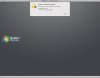
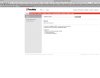
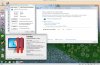
OK. It bombed. I had a PD6 Win7 virtual machine that I upgraded to PD7 this morning. At first, everything seemed just fine. Then I started Acronis True Home to complete a full backup of what I had just captured. I point Acronis at a second HD image on an external drive. In spite of this image having enough room for a full backup, the machine died during the process and I was forced to stop it. After this, the VM would hang on reboot after me logging in. It was unresponsive to Ctrl-Alt-Del, so I shut it down and attempted to delete the offending drive. Even though the machine was stopped, PD7 told me I couldn't remove the second HD while the machine was running, and that I should stop it. The VM would also not start in safe mode. I said there was some missing file. I restarted the entire iMac and at this point, PD7 let me remove the external drive. However, attempting to start the VM, I get Problem ID 19014. Unfortunately, Problem ID 19014 does not appear to exist on the Parallels site anywhere. I've attached a couple of screen shots of the error and of the results of a search for it.
Anyway, I'm back to rebuilding the VM from my backup of the original file at the PD6 level. This time, I'll see if I can clean out the contents of that second HD from within the VM before I start up Acronis again.
Just when everything was going so well, it's back to square one.
Anyway, I'm back to rebuilding the VM from my backup of the original file at the PD6 level. This time, I'll see if I can clean out the contents of that second HD from within the VM before I start up Acronis again.
Just when everything was going so well, it's back to square one.