Install the app
How to install the app on iOS
Follow along with the video below to see how to install our site as a web app on your home screen.
Note: This feature may not be available in some browsers.
You are using an out of date browser. It may not display this or other websites correctly.
You should upgrade or use an alternative browser.
You should upgrade or use an alternative browser.
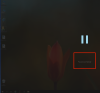
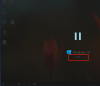
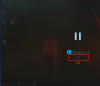
start when we click on the windows standby screen
- Thread starter ilkerd
- Start date

kat
Product Expert
Hi Ilkerd,
This knowledge-base article may help you: http://kb.parallels.com/en/120414
This knowledge-base article may help you: http://kb.parallels.com/en/120414
Hello. my problem is that parallels desktop is not initialized manually when windows is first started.
automatic or maunel startup after windows does not run for a certain period of time after starting and then goes into standby mode.
start manually in standby mode. Exit standby mode when mause is clicked.
automatic or maunel startup after windows does not run for a certain period of time after starting and then goes into standby mode.
start manually in standby mode. Exit standby mode when mause is clicked.