Sudden VM corruption

LukasE

Bit poster
Hi,
i am maintaining an iOS/OSX build environment. I have four physical Macs with each running two OSX ElCap VMs with Parallels 11. Some days ago, I installed updates on the VMs and scheduled a reboot afterwards. About half of the boxes came back afterwards. The rest never booted again. When turning on one of the corrupted machines, it just sais:

Boot Failed: Mac OS X
Boot Failed: EFI Hard Drive
Boot Failed: OS X Recovery ....

then its fires up the EFI Shell version 2.31 and thats all.

Why can VMs become corrupted so easily?
How can I recover them?
How can I figure out what happened?

Thank you in advance.

Lukas
 
Hi LukasE, the error occurred because EFI boot is enabled on the particular Mac OS X virtual machine. In order to fix the issue, please follow the instructions given below:
1. Stop your virtual machine (in Mac menu choose Actions > Stop).
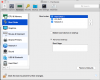
2. Open your virtual machine's configuration > Hardware > Boot Order > Advanced Settings > Uncheck Use EFI Boot option:
3. Start your virtual machine.
 
Hi PaulChris,
unfortunately, there is no such option. Are you sure, this is correct for OS X. Doesn't OSX boot from EFI only?

Cheers
Lukas
 

Attachments

  • 2016-05-24-084328_683x547_scrot.png
    2016-05-24-084328_683x547_scrot.png
    72.4 KB · Views: 3
Hi LukasE, please follow the steps mentioned below to fix the issue:
  1. Go to Parallels Desktop > File > New...
  2. Specify the installation DVD.
  3. At the "Name and Location" part tick Customize setting before installation and click Continue.
  4. Open your virtual machine's Configuration > Hardware Tab > Boot Order
  5. Add the following boot flag into the Boot flags field:
vm.bios.efi=0
6. Switch to CD/DVD and select a physical name of your drive (not "DEFAULT CD/DVD-ROM")
7. Close configuration windows and proceed with the installation:
 
Hi, I do not understand why I should start an installation. Though, I added vm.bios.efi=0 to my boot flags and the machine seems to start booting. Though it ends up being stuck at a black screen. :(
 
Hello Paul,
I think there must be a huge misunderstanding here. This is a Mac OS X Forum. I am not talking about Windows. Also my previous posts should have stated clearly what OS i am using.
Cheers
Lukas
 
Hi LukasE, please start your Mac OS X virtual machine and go to Action->Reset to fix black screen issue in the virtual machine and let us know how it works
 
For anyone that comes across this issue in future - I have recently had a very similar problem. Got the exact same error as LukasE - apparently as a result of hitting the "Reclaim Space" button on Parallels when hard drive space became too low. On further investigation, I examined the "Hard Drives" setting within the virtual machine configuration and noted that all of a sudden the main boot disk had been changed from the guest OS X VM disk, to the hard drive of a different Windows 10 VM (within a different Parallels .pvm image file!). I selected "Browse for disk" or similar, and relocated the original OS X VM disk and then the virtual machine proceeded to boot as normal.

Hope this helps someone out there. I was about to start from scratch before I stumbled on this!
 
Back
Top