Suddenly, Guest Windows10 VM (Bootcamp install of Win10) can't start!

Bertrand

Member
Hi,

I just got this serious issue a couple of hours ago.
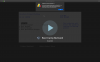
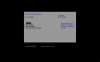
I was starting a Win10 VM with Parallels 15.1.4 and I got this error:
Screenshot%202020-08-22%20at%2013.27.07.602.png

I tried to reset the VM, but the issue remains.
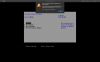
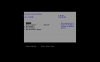
I upgraded to Parallels Desktop 16: the issue remains.
Screenshot%202020-08-22%20at%2014.07.41.723.png

I tried to boot directly to BOOTCAMP: it works perfectly.
What should I do? I would like to create a new VM, but I can't find the way anymore...
 
I also would like to set up Parallels Desktop so that it doesn't launch the VM automatically, but I can't find this kind of setup anymore.
 
I also would like to set up Parallels Desktop so that it doesn't launch the VM automatically, but I can't find this kind of setup anymore.
Hello, please check this KB article in order to change the auto-start option.
Also could you please share with us a screenshot of creation window (where you haven't find a Bootcamp based VM creation option).
 
Thanks to the Parallels Support team, I could solve all issues.
Windows10 was corrupted, I needed to boot directly on Boot Camp then run a chkdsk /f /r.
I also noticed that I get this issue after each time I try a full SSD backup using my backup app (Acronis True Image 2021) I will investigate this with the Acronis Team.

I also could solve the other issue I had (couldn't set up Parallels so that Boot Camp VM won't launch automatically at PD startup) by totally uninstall PD, delete the VM file, re-install PD then create a new VM.
 
In fact, the issue reappeared a few days later and I needed to delete the Boot Camp volume then recreate it and reinstall Windows to fix the issue definitively.
 
Back
Top