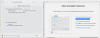
I have just accepted an automatic upgrade to Parallels 16.1.0. After the upgrade a pop-up "Launch Parallels Desktop" comes up asking me to Allow "Parallels International GmbH" extension under Security & Privacy. Although the OS popup stating that the extension is blocked appeared just after the installation, the Security & Privacy area where the "Allow" messages normally appear is empty. Still, whenever I try to run Parallels all I get are the directions to allow the extension. Please advise. As it stands Parallels became completely useless.

Install the app
How to install the app on iOS
Follow along with the video below to see how to install our site as a web app on your home screen.
Note: This feature may not be available in some browsers.
You are using an out of date browser. It may not display this or other websites correctly.
You should upgrade or use an alternative browser.
You should upgrade or use an alternative browser.
System Extension disabled - Security & Privacy pane does not provide option to Allow
- Thread starter MattB18
- Start date

Maria@Parallels
Problem solver
Hello, did you check this KB article?
Yes - I have. My point is that the item highlighted in the second illustration in this KB article (Screen Shot 2017-08-14 at 12.18.44 PM.png) does not show up at all. Thus I never get a chance to click "Allow". My problem is not with inability to click the button but rather with not having a button to click in the first place.
Let us know the macOS X you are using. You can run the First Aid, restart the Mac and try installing. If the issue persists, let us know to assist you further.Yes - I have. My point is that the item highlighted in the second illustration in this KB article (Screen Shot 2017-08-14 at 12.18.44 PM.png) does not show up at all. Thus I never get a chance to click "Allow". My problem is not with inability to click the button but rather with not having a button to click in the first place.
Maria@Parallels
Problem solver
Hi, did you check this KB article?I have the same issue - there is no parallels international in the list to allow in the security - so cannot open parallels anymore as it keeps asking to allow when not there. macOS 10.15.7. Rebooted - same thing.
Has anyone found a solution to the problem discussed here? I have rebooted the machine, run First Aid, uninstalled Parallels and re-installed it from scratch, and tried the workaround in the KB article suggested above, but nothing works. Like everyone else here, I am being asked to allow "Parallels International GmbH" extension under Security & Privacy but the Security & Privacy area where the "Allow" messages normally appear is empty. (I am running Big Sur and version 16.1.3 of Parallels).
Maria@Parallels
Problem solver
Hello, could you collect the tech report once the issue reoccurs and post the report's ID here please?Has anyone found a solution to the problem discussed here? I have rebooted the machine, run First Aid, uninstalled Parallels and re-installed it from scratch, and tried the workaround in the KB article suggested above, but nothing works. Like everyone else here, I am being asked to allow "Parallels International GmbH" extension under Security & Privacy but the Security & Privacy area where the "Allow" messages normally appear is empty. (I am running Big Sur and version 16.1.3 of Parallels).
Also the screenshot of the issue will be very helpful.
My report number is: 364332757.Hello, could you collect the tech report once the issue reoccurs and post the report's ID here please?
Also the screenshot of the issue will be very helpful.