
Install the app
How to install the app on iOS
Follow along with the video below to see how to install our site as a web app on your home screen.
Note: This feature may not be available in some browsers.
You are using an out of date browser. It may not display this or other websites correctly.
You should upgrade or use an alternative browser.
You should upgrade or use an alternative browser.
Thunderbolt 10BGE Support
- Thread starter KamilB
- Start date
Are you talking about something like: this http://www.sonnettech.com/product/echoexpressse_10gbeadapter.html ? Is it the only network your Mac is connected to or is it also connected with the built in gigabit ethernet?
Note that the virtual hardware listed in Computer Management -> System Tools -> Device Manager is different than the Mac's real hardware because the devices are virtual. The virtual network adapter that I see in my virtual machine is "Intel(R) PRO/1000 MT Network Connection" even though my Mac uses a Broadcom Ethernet Controller (1 Gbps).
Since the network adapter is virtual, there is a possibility that the throughput is not limited to the throughput allowed by the network adapter it is emulating. For example, the virtual floppy disk drive device can read a disk image at much greater than floppy disk speeds. I tried the RTL8029AS network adapter in Parallels. Even though it's supposed to be a 10 Mb/s Ethernet adapter ( http://www.realtek.com/products/productsView.aspx?Langid=1&PFid=15&Level=4&Conn=3&ProdID=23 ), I am able to copy a file at 50 MB/s to a network server. This is not a definitive test since it's using a Parallels driver and is reported as 1 Gb/s in the Windows Control Panel...
Have you checked the throughput in Parallels to see if the virtual network adapter can get more than 1Gb/s? If the throughput can be greater than 1 Gb/s then we know that the virtual adapter does not limit the throughput. However, using a 10 GbE virtual adapter might be more efficient if there are non-physical enhancements that a 1 Gbps adapter does not have (I don't know if there are any). Parallels would have to create code to emulate a 10 GbE adapter in that case to take advantage of those enhancements. The driver for it would be built into Windows (if Windows includes such drivers as it does for the Intel(R) PRO/1000 MT) or would be included by Parallels Tools (as is used for the RTL8029AS Realtek device).
If you are transferring files between the virtual machine and a server then you may wish to compare the transfer speed using the virtual network adapter (Intel and Realtek or whatever options Parallels gives you) and the transfer speed using the Parallels Shared Folders feature.
Note that the virtual hardware listed in Computer Management -> System Tools -> Device Manager is different than the Mac's real hardware because the devices are virtual. The virtual network adapter that I see in my virtual machine is "Intel(R) PRO/1000 MT Network Connection" even though my Mac uses a Broadcom Ethernet Controller (1 Gbps).
Since the network adapter is virtual, there is a possibility that the throughput is not limited to the throughput allowed by the network adapter it is emulating. For example, the virtual floppy disk drive device can read a disk image at much greater than floppy disk speeds. I tried the RTL8029AS network adapter in Parallels. Even though it's supposed to be a 10 Mb/s Ethernet adapter ( http://www.realtek.com/products/productsView.aspx?Langid=1&PFid=15&Level=4&Conn=3&ProdID=23 ), I am able to copy a file at 50 MB/s to a network server. This is not a definitive test since it's using a Parallels driver and is reported as 1 Gb/s in the Windows Control Panel...
Have you checked the throughput in Parallels to see if the virtual network adapter can get more than 1Gb/s? If the throughput can be greater than 1 Gb/s then we know that the virtual adapter does not limit the throughput. However, using a 10 GbE virtual adapter might be more efficient if there are non-physical enhancements that a 1 Gbps adapter does not have (I don't know if there are any). Parallels would have to create code to emulate a 10 GbE adapter in that case to take advantage of those enhancements. The driver for it would be built into Windows (if Windows includes such drivers as it does for the Intel(R) PRO/1000 MT) or would be included by Parallels Tools (as is used for the RTL8029AS Realtek device).
If you are transferring files between the virtual machine and a server then you may wish to compare the transfer speed using the virtual network adapter (Intel and Realtek or whatever options Parallels gives you) and the transfer speed using the Parallels Shared Folders feature.
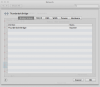
If it's anything like FireWire networking then I don't see how to make it work (I don't have any Macs with Thunderbolt).
I wonder why Apple used an Ethernet icon instead of a Thunderbolt icon for this interface?
Parallels can take over USB devices but not Firewire or Thunderbolt (or PCIe in general).
What kind of data do you want to pass over the Thunderbolt network? If it's just files, then you can use the Parallels Shared Folders option if you don't mind going through that extra layer.
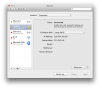
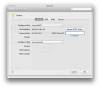
I wonder why Apple used an Ethernet icon instead of a Thunderbolt icon for this interface?
Parallels can take over USB devices but not Firewire or Thunderbolt (or PCIe in general).
What kind of data do you want to pass over the Thunderbolt network? If it's just files, then you can use the Parallels Shared Folders option if you don't mind going through that extra layer.