Hello,
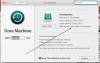
When I am launching the Word on Windows 10 on Parallels on my iMac, the icon of my Time Machine disk disappeared from my desktop. The time machine software stops to backing up my HD since the disk has disappeared.
It appears again when parallels is closed and quitting.
Why?
What should I do in order to make parallels and time machine living peacefully next to each other.
Thanks and regards
https://www.dropbox.com/s/gy7li2b6eiu7e0y/Screen Shot 2016-04-25 at 18.47.20.png?dl=0
When I am launching the Word on Windows 10 on Parallels on my iMac, the icon of my Time Machine disk disappeared from my desktop. The time machine software stops to backing up my HD since the disk has disappeared.
It appears again when parallels is closed and quitting.
Why?
What should I do in order to make parallels and time machine living peacefully next to each other.
Thanks and regards
https://www.dropbox.com/s/gy7li2b6eiu7e0y/Screen Shot 2016-04-25 at 18.47.20.png?dl=0