Time Machine: Do NOT backup Virtual Machine

WolfK

Junior Member
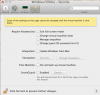
Under Virtual Machine >Configure >Security
I want to set Time Machine to: Do not Backup Virtual Machine

I get Settings cannot be changed until VM is shut down.

Question: How can I reach Configure for VM if the VM is shut down ?

I can check Do not Backup Virtual Machine but when I close the window
and than open it again it is unchecked. Of course the Lock icon is not set.


BTW - is there a way that Time Machine only does Backups of the
Files/Folders which have been changed in the Virtual Machine ?

As it is - the whole VM is backed up by TimeMachine if I so only change
one letter in a file. 200+ GB.

Regards
Wolf
 

Attachments

  • VM Security.png
    VM Security.png
    77.3 KB · Views: 19
Question: How can I reach “Configure” for VM if the VM is shut down ?

In the virtual machines list, you can right click to get a context menu, Configure is in there.

BTW - is there a way that Time Machine only does Backups of the
Files/Folders which have been changed in the Virtual Machine ?

Nope, which is why I don't use TM to backup my VMs either :)
 
Hello WolfK,


Please follow the steps suggested at: http://kb.parallels.com/112152 to exclude the Virtual Machine file from Time Machine Backup.

Time Machine will back up the entire .pvm file of your Windows and it is not possible to backup any particular file from the VM.

Thanks for your reply Mervin,

About kb112152
Yes I followed these steps, but when I did write the code in Terminal I got a warning and if I proceed prompted to supply my password.
But than the Terminal just freezes when trying to write the password. Same when repeating.

This whole procedure is NOT any resolution at all and should be corrected asap.
The "Do not backup VM" worked OK in earlier versions of Parallels, it became a problem with v9

About Time Machine will back up the entire .pvm file - http://kb.parallels.com/en/115052 Quote:
NOTE: If your Time Machine is backing up the whole Virtual Machine file while Optimize for Time Machine option is enabled - it is a known misbehavior for Parallels Desktop 8.
This issue was fixed in Parallels Desktop 9.

That would be nice but ..... So what happened ?

Regards
Wolf
 
Hello Ceasium,

In the virtual machines list, you can right click to get a context menu, Configure is in there.
Thank you.

How do you backup ? Manual or incremental with a program ?

Here a quote from
http://kb.parallels.com/en/115052
NOTE: If your Time Machine is backing up the whole Virtual Machine file while
Optimize for Time Machine option is enabled - it is a known misbehavior for Parallels Desktop 8.
This issue was fixed in Parallels Desktop 9


Too bad it does not work.

Wolf
 
Back
Top