I have a MacOS (Sierra) VM on a USB 3 drive plugged into my MBP. I have a TimeMachine backup on a different USB 3 drive.
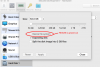
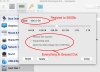
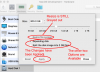
So the RESTORE is seeing the free space (near as I can figure) on my physical drive and using that, and only that, as the restore point. Of course it complains of not enough space to restore. But what is singularly annoying is that the VM cannot see it's own primary HDD to restore to.
Exactly the same happened when I tried to use the Migration assistant from a TimeMachine backup, 67Gb free, not enough space. If I use TimeMachine in the foreground I see the backups and Cancel/Restore, but Restore is always greyed out. This should be a simple process, but I am literally wasting days just to do a simple restore. Maybe I'm just missing something simple and obvious, but so far no epiphany.
Any suggestions even where to start looking?
Thanks,
Kevin
- Start the Restore from Recovery Partition
- Attached the TimeMachine device to the VM
- Search for backups to restore (OK found the right one)
- All goes well until we have to select the destination
- Restore - FAIL FAIL FAIL
So the RESTORE is seeing the free space (near as I can figure) on my physical drive and using that, and only that, as the restore point. Of course it complains of not enough space to restore. But what is singularly annoying is that the VM cannot see it's own primary HDD to restore to.
Exactly the same happened when I tried to use the Migration assistant from a TimeMachine backup, 67Gb free, not enough space. If I use TimeMachine in the foreground I see the backups and Cancel/Restore, but Restore is always greyed out. This should be a simple process, but I am literally wasting days just to do a simple restore. Maybe I'm just missing something simple and obvious, but so far no epiphany.
Any suggestions even where to start looking?
Thanks,
Kevin