Ok, here is an update on the situation:
Just to summarize, I have had a Windows 7 boot camp which I have imported into a VM.
The problem is the tremendous size, it occupies at least 500 GB on the Mac HD. Taking a snapshot results in a full hard disk, and blocks the whole machine for several hours. And it takes again hours to fix it.
The used size of the VM was app. 220 GB, so the aim was to „release" 200 GB for the Mac. And SSD is expensive, so why loose space in a VM.
All the parallel features to release memory of a VM did not work.
So I used partition magic to decrease the VM HD. That was working, but there was still no way to get the space to the Mac. The assumption, that there might be a snap shot somewhere, was not the case.
And one big disadvantage after the treatment with partition magic was, that if I try to copy the VM on the Mac to a NAS or USB drive gives me error -36.
So I went back to former backup and gave up the "partition magic treated VM". But there is still the problem of wasting expensive SSD space.
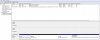
In a next step I used the windows native administration tool to adjust the partition. I reduced it again by 200 GB.
Windows said "successful ". But after a reboot I got the message, that the boot device is missing.
I was able to access the VM Harddisk with the parallels mounter.
In a next step I tried to copy the whole VM to my NAS. But I got again error-36.
I assume that there is a problem, as soon as I try to change the partition size in parallels.
There will be no more try in this case from my side - I give up. So I install a new Windows 7 VM and I will reinstall all the applications I have had. And exactly this was it, what I wanted to avoid by using parallels. Too bad.