Unable to connect hard disk 0 after Time Machine restore

  • Thread starter Thread starter Parallels User
  • Start date Start date
P

Parallels User

>>> Message has been deleted by the user <<<
 

Attachments

  • Screen Shot 2016-01-06 at 8.33.30 AM.png
    Screen Shot 2016-01-06 at 8.33.30 AM.png
    70.4 KB · Views: 7
  • Screen Shot 2016-01-06 at 8.33.40 AM.png
    Screen Shot 2016-01-06 at 8.33.40 AM.png
    42.3 KB · Views: 7
  • Screen Shot 2016-01-06 at 8.34.06 AM.png
    Screen Shot 2016-01-06 at 8.34.06 AM.png
    76.1 KB · Views: 6
  • Screen Shot 2016-01-06 at 8.34.14 AM.png
    Screen Shot 2016-01-06 at 8.34.14 AM.png
    44.9 KB · Views: 5
  • Screen Shot 2016-01-06 at 8.34.21 AM.png
    Screen Shot 2016-01-06 at 8.34.21 AM.png
    50.4 KB · Views: 5
  • Screen Shot 2016-01-06 at 8.34.56 AM.png
    Screen Shot 2016-01-06 at 8.34.56 AM.png
    78.7 KB · Views: 5
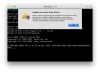
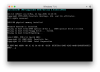
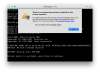
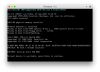
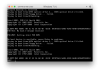
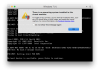
from the problem report I can see that file is missing:
01-06 09:27:24.766 F /dimg:3057:7803/ Error initializing for the /Users/Scott/Documents/Parallels/Windows 7.pvm/Windows 7-0.hdd/Windows 7-0.hdd.0.{5fbaabe3-6958-40ff-92a7-860e329aab41}.hds

You can check that going to ~/Documents/Parallels > Right-click on Windows 7.pvm > Show package contents > right-click on Windows 7-0.hdd > Show package contents
here "Windows 7-0.hdd.0.{5fbaabe3-6958-40ff-92a7-860e329aab41}.hds" file should be located.

NOTE: if Time Machine made a backup at the time VM was running, this is absolutely expected behavior because Time Machine 100% failed to backup this file as this file represents virtual hard disk which is constantly changing at the moment VM is running. All backups should be performed when VM is powered off or suspended.
 
Hi,
I'm afraid that the only option here is to install a new VM.
In regards to the backup, the easiest way is to copy VM.pvm file located in ~/Documents/Parallels from time to time somewhere manually when VM is powered off.
 
Back
Top