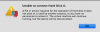
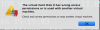
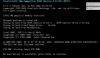
Thank you Dhruba. Before I read your email, I tried removing the virtual machine, saving all files, then restoring the virtual machine. That worked, and I was able to start the Windows partition. Then, I thought to be safe, I would create a snapshot. The snapshot failed, and crashed Windows. I saw your suggestion while I was waiting, so I ran Disk First Aid, and restarted. I'm back to where I started: no hard drive found. Interestingly, the Windows 8.1-0.hdd now seems to be normal and shows as 117GB.
Mmika, the errors I am getting do not seem to give me the option to generate a problem report! However, I accessed the parallels.log file, and found the following.
Thanks to both of you for trying to help.
StartTime: 521778740
03-01 08:24:16.516 F /vm:929:66055/ VCPU1 state(VcpuStateUninitialized): enqueued 'VcpuCmdRun'(1) command
Initializing VCPU #0... done
03-01 08:24:16.516 F /vm:929:66055/ VM state(VmStateRunning): enqueued 'VmLocalEventCpuInitialized'(20033) command
03-01 08:24:16.517 F /vm:929:66055/ VCPU0 state(VcpuStateInitializing): changed to VcpuStateTransition
03-01 08:24:16.517 F /vm:929:66055/ VCPU0 state(VcpuStateTransition): changed to VcpuStateRunning
03-01 08:24:16.517 F /vm:929:66055/ VCPU0 state(VcpuStateRunning): completed 'VcpuCmdRun'(1) command with result 0x0
03-01 08:24:16.517 F /vm:929:66307/ VCPU1 state(VcpuStateUninitialized): changed to VcpuStateInitializing
03-01 08:24:16.517 F /vm:929:31491/ VM state(VmStateRunning): completed 'VmLocalEventCpuInitialized'(20033) command with result 0x80000001
Initializing VCPU #1...
Initializing VCPU #1... done
03-01 08:24:16.517 F /vm:929:66307/ VM state(VmStateRunning): enqueued 'VmLocalEventCpuInitialized'(20033) command
03-01 08:24:16.517 F /vm:929:66307/ VCPU1 state(VcpuStateInitializing): changed to VcpuStateTransition
03-01 08:24:16.517 F /vm:929:66307/ VCPU1 state(VcpuStateTransition): changed to VcpuStateRunning
03-01 08:24:16.517 F /vm:929:31491/ VM state(VmStateRunning): completed 'VmLocalEventCpuInitialized'(20033) command with result 0x80000001
03-01 08:24:16.517 F /vm:929:66307/ VCPU1 state(VcpuStateRunning): completed 'VcpuCmdRun'(1) command with result 0x0
PhyMemRemoveGuestPhyPagesRange(b0) for non-existent range
PhyMemRemoveGuestPhyPagesRange(b8) for non-existent range
PhyMemRemoveGuestPhyPagesRange(b0) for non-existent range
PhyMemRemoveGuestPhyPagesRange(b8) for non-existent range
PhyMemRemoveGuestPhyPagesRange(b0) for non-existent range
PhyMemRemoveGuestPhyPagesRange(b8) for non-existent range
PhyMemRemoveGuestPhyPagesRange(b0) for non-existent range
PhyMemRemoveGuestPhyPagesRange(b8) for non-existent range
[AHCI] Enable Command Queue Acceleration
[SATA0] controller reset
Enable AHCI mode
03-01 08:24:16.602 F /vm:929:66055/ Virtual machine is ready to boot!
03-01 08:24:17.136 F /vm:929:20227/ VM state(VmStateRunning): enqueued 'DspVmStateInfo'(3028) command
03-01 08:24:17.137 F /vm:929:31491/ VM state(VmStateRunning): completed 'DspVmStateInfo'(3028) command with result 0x0
03-01 08:24:17.268 F /IOCommunication:929:68879/ TCP_NODELAY setting failed
03-01 08:24:17.270 W /IOLocalDesktop:929:68879/ DynRes: sendStatesOnAttach. state=0
03-01 08:24:17.324 W DYNRESHOST /vm:929:68879/ Startup information. Host has hidpi display: 0
03-01 08:24:17.498 F /vm:929:20227/ VM state(VmStateRunning): enqueued 'DspCmdVmInitiateDevStateNotifications'(1024) command
03-01 08:24:17.508 F /vm:929:31491/ VM state(VmStateRunning): completed 'DspCmdVmInitiateDevStateNotifications'(1024) command with result 0x0
03-01 08:24:17.910 F /vm:929:20227/ VM state(VmStateRunning): enqueued 'DspEvtNotifyVm'(3014) command
03-01 08:24:17.910 F /vm:929:31491/ VM state(VmStateRunning): completed 'DspEvtNotifyVm'(3014) command with result 0x0
03-01 08:24:50.049 F /vm:929:66055/ Sending question = PRL_WNG_NO_OPERATION_SYSTEM_INSTALLED