
Install the app
How to install the app on iOS
Follow along with the video below to see how to install our site as a web app on your home screen.
Note: This feature may not be available in some browsers.
You are using an out of date browser. It may not display this or other websites correctly.
You should upgrade or use an alternative browser.
You should upgrade or use an alternative browser.
Unable to detect operating system
- Thread starter Sauterel
- Start date

This is not solving my issue.
I followed the step from the post.
- I choose Windows 10
- Then Productivity as usage
- Then I get this: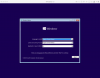
- Then I click Next
- Then I get this
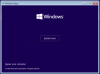
- I click "Install Now", I am seeing "Setup is starting..." But then:
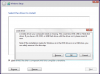
- I can't got to the next step... this is not working...
I followed the step from the post.
- I choose Windows 10
- Then Productivity as usage
- Then I get this:
- Then I click Next
- Then I get this
- I click "Install Now", I am seeing "Setup is starting..." But then:
- I can't got to the next step... this is not working...
Attachments
P
Pradeep@Parallels
Hello Sauterel,
Kindly download a fresh Windows 10 image file and check whether you are able to complete the installation process.
For further information kindly refer to the article.
Kindly download a fresh Windows 10 image file and check whether you are able to complete the installation process.
For further information kindly refer to the article.
Raj@Parallels
Guest
Please try creating Windows virtual machine with Express Installation unchecked then installing Parallels Tools manually.I have the same problem... Been stuck at this for 2 days. Downloaded both 32 bit and 64 bit Windows for my Parallels 12. Whats happening? How do I get it fixed? This is getting annoying.
Ive tried that. In fact, that was the only option that was shown to me. I tried both Windows installation iso images (32 bit and 64 bit) with no success.Please try creating Windows virtual machine with Express Installation unchecked then installing Parallels Tools manually.
However, I tried again today after downloading Windows 64 bit again. Parallels did recognize the iso image, and proceeded to install Windows on the Virtual Machine. But this popped up during installation:
Any help is deeply appreciated.

P
Pradeep@Parallels
Hi DavidW15,I also tried using installing manually (deselecting the Express Installation option). I entered my product key from On The Hub with this error message:
I am really confused here.
Looks like the issue is with the image file that you are using to install Windows 10, try to download a fresh image file and make sure that free space in your Mac Hard Disk is more than 20 GB.
Also, make sure that you assign more than 2GB of RAM to Window 10 VM before the installation.
The message about the product key means that you are using a Pro product key with an Enterprise ISO or an Enterprise key with a Pro ISO or it's simply wrong.I also tried using installing manually (deselecting the Express Installation option). I entered my product key from On The Hub with this error message:
I am really confused here.