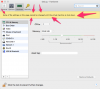
Opening parallels control center and clicking on configuration does not work because controls are greyed out. The window opens with a yellow bar that states I may change configurations by opening virtual machine, then closing it. This does not work. Configuration options remain greyed out.

Install the app
How to install the app on iOS
Follow along with the video below to see how to install our site as a web app on your home screen.
Note: This feature may not be available in some browsers.
You are using an out of date browser. It may not display this or other websites correctly.
You should upgrade or use an alternative browser.
You should upgrade or use an alternative browser.
Unable to increase memory for virtual windows machine
- Thread starter DawnD1
- Start date
Just checking... This should be obvious, but : You need to shut down the windows, not just close the VM window. Closing the VM window typically suspends the VM and so from point of view of Parallels, it is still running (it is sleeping officially). Make sure that you really shut down the Windows themselves.
This confused me originally.
This confused me originally.

Hi all,
Please follow the instructions given at http://kb.parallels.com/113649 to assign Memory for Virtual Machine running on Parallels Desktop.
Please follow the instructions given at http://kb.parallels.com/113649 to assign Memory for Virtual Machine running on Parallels Desktop.

RamyaS
Product Expert
Hello EytanB,Really, is it that not obvious?
View attachment 9734
Please Shutdown your Windows Virtual machine as suggested at http://download.parallels.com/desktop/v9/ga/docs/en_US/Parallels Desktop User's Guide/32827.htm
Then to increase the harddisk size of your Windows Virtual machine , please follow the steps as in the KB article http://kb.parallels.com/113972 and check how it works!

Abdul@Parallels
Parallels Support
I am fully aware of how to do this. I was pointing out the OBVIOUSNESS of the message when you try and change the size of memory when the VM is powered on. I do not need help here, I was providing help/making a comment....
Hi EytanB,
Yes, it is just a message to make every users aware of it.
Some might have the Virtual Machine to start automatically as soon as Parallels Desktop starts and to quit Parallels Desktop as soon as the VM is shut down.