
For some reason, I am unable to increase the size of my Windows 10 Virtual Hard Disk.
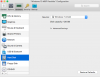
I have gone through the process of going to the Control Panel with the Virtual Machine turned off and increased it to 128 GB. However, when I check in Windows Storage, it says that Local Disk C is 63.5 GB and only 1.37 GB free. When I try to configure the Windows 10 Hard Disk it says the source is Windows 7-0.hdd In the Source drop down box it gives me the options are Disconnect and Choose and Image File.
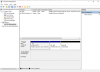
When I go into Computer Management I have the last window that shows 64 GB on unallocated space. How do I allocate that space to my Windows 10 disk?
Any ideas on why I can't increase the size of my Windows 10 Hard Disk. I upgraded from Windows 7 to Windows 10 4 or 5 months ago.
Thank you for any help.
.
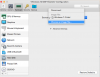
I have gone through the process of going to the Control Panel with the Virtual Machine turned off and increased it to 128 GB. However, when I check in Windows Storage, it says that Local Disk C is 63.5 GB and only 1.37 GB free. When I try to configure the Windows 10 Hard Disk it says the source is Windows 7-0.hdd In the Source drop down box it gives me the options are Disconnect and Choose and Image File.
When I go into Computer Management I have the last window that shows 64 GB on unallocated space. How do I allocate that space to my Windows 10 disk?
Any ideas on why I can't increase the size of my Windows 10 Hard Disk. I upgraded from Windows 7 to Windows 10 4 or 5 months ago.
Thank you for any help.
.