Unable to migrate pvm from old machine or time machine backup

MichaelM31

Bit poster
Hi there,

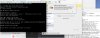
I've tried installing the pvm from my old imac on my new imac. The old imac's hard drive failed. I've tried moving the .pvm from the old failed hard drive and from the time machine backup. I am receiving the following error messages :

A file or device required for the operation of Hard Disk 0 does not exist or is used by another process, or you have no permission to access it. The virtual machine will continue running, but the device will be disconnected.
 

Attachments

  • Screen Shot 2017-07-02 at 1.14.13 pm.jpg
    Screen Shot 2017-07-02 at 1.14.13 pm.jpg
    678.3 KB · Views: 9
Hi there,

I've tried installing the pvm from my old imac on my new imac. The old imac's hard drive failed. I've tried moving the .pvm from the old failed hard drive and from the time machine backup. I am receiving the following error messages :

A file or device required for the operation of Hard Disk 0 does not exist or is used by another process, or you have no permission to access it. The virtual machine will continue running, but the device will be disconnected.
Hi @MichaelM31,
1. Launch Terminal ( Finder > Applications > Utilities > Terminal).
2. Execute the following command:
ls -lR "/Volumes/SUPREMIA DATA/Parallels/Windows 10.pvm"
3. Reply us back with the output.
 
Thank you for your help.
The response I am getting from terminal is
Code:
ls: /Volumes/SUPREMIA DATA/Parallels/Windows 10.pvm: No such file or directory
Michaels-iMac-2:~ michaelmacrae$
 
Hi @MichaelM31,
1. Launch Terminal ( Finder > Applications > Utilities > Terminal).
2. Execute the following command:
ls -lR "/Volumes/SUPREMIA DATA/Parallels/Windows 10.pvm"
3. Reply us back with the output.

Hi Paul Chris,

I have the same problem like MichaelM31.

I executed the command on the terminal, where can I send you the output?

Thanks in advance,
Michael
 
Thank you for your help.
The response I am getting from terminal is
Code:
ls: /Volumes/SUPREMIA DATA/Parallels/Windows 10.pvm: No such file or directory
Michaels-iMac-2:~ michaelmacrae$
Open Finder and search for .pvm file on the old Mac, also open console and check if there are any I/O errors. If there are errors then you cannot copy the pvm file.
 
Open Finder and search for .pvm file on the old Mac, also open console and check if there are any I/O errors. If there are errors then you cannot copy the pvm file.
Thank you Ajith,

I'm MichaelS34, not MichaelM31.

On my old iMac there is no Problem with the .pvm file. It still works perfectly with the trial version on that machine, there are no I/O errors.

Any other suggestions? Thank you in advance...

Michael
 
Thank you Ajith,

I'm MichaelS34, not MichaelM31.

On my old iMac there is no Problem with the .pvm file. It still works perfectly with the trial version on that machine, there are no I/O errors.

Any other suggestions? Thank you in advance...

Michael
My reply was for MichaelM31's post. If you do not have I/O error's on console then try copying the pvm file to your new Mac and launch it with Parallels Desktop. Make sure that pvm file size is same on source and destination.
 
Back
Top