
Install the app
How to install the app on iOS
Follow along with the video below to see how to install our site as a web app on your home screen.
Note: This feature may not be available in some browsers.
You are using an out of date browser. It may not display this or other websites correctly.
You should upgrade or use an alternative browser.
You should upgrade or use an alternative browser.
Unable to start the virtual machine.
- Thread starter LucasC9
- Start date
-
- Tags
- windows 11

Nischay Gaya
Parallels Support
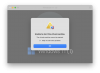
Hello @LucasC9 ,Guys, pls help I am new to PD and I just downloaded windows VM and it says "Unable to start the virtual machine" whenever I try to run the PVM.View attachment 22424
Please check if Parallels Desktop has Full Disk Access/Accessibility/Screen Recording permissions.
To do so, click on the Apple Logo > System Settings > Security and Privacy > Full Disk Access, and enable Parallels Desktop.
Repeat the same steps for Accessibility and Screen Recording.
Furthermore, we could not view any license information related to your email address. For further support, please share your proof of purchase for your license.
Let us know if the issue remains and look forward to receive the proof of purchase.
Hi Guys,
@Nischay Gaya: I have the same issue as LucasC9 (Parallels 19.4.1 with a new MacBook Pro G4, MacOS 15.2).
I have set up in System Settings the Full Disk Access, Accessibility and Screen Recording and I still have the same error message: "Unable to start the virtual machine." Do you have any other solution for the problem?
Thank you!
@Nischay Gaya: I have the same issue as LucasC9 (Parallels 19.4.1 with a new MacBook Pro G4, MacOS 15.2).
I have set up in System Settings the Full Disk Access, Accessibility and Screen Recording and I still have the same error message: "Unable to start the virtual machine." Do you have any other solution for the problem?
Thank you!
Hello @LucasC9 ,
Please check if Parallels Desktop has Full Disk Access/Accessibility/Screen Recording permissions.
To do so, click on the Apple Logo > System Settings > Security and Privacy > Full Disk Access, and enable Parallels Desktop.
Repeat the same steps for Accessibility and Screen Recording.
Furthermore, we could not view any license information related to your email address. For further support, please share your proof of purchase for your license.
Let us know if the issue remains and look forward to receive the proof of purchase.
I have exactly same problem and your advise doesn't help. I tried to restart mac, and even reset to factory settings. Nothing. It is completely new mac pro M4 Pro. I need parallels desktop for my work, thats why I bought it. Could you help please ? I could send report files. I cant attach it here, it has 2,2 MB and it says too large :-(
Hello, finally I got an answer from Parallels support. The solution is to upgrade to version 20. But I didn't make it yet.
Here is the message :
Kindly note that Parallels Desktop 19 is not fully compatible on macOS 15.
We suggest you to upgrade to the latest version, Parallels Desktop 20 at a discounted price: https://www.parallels.com/desktop-upgrade/
Here is the message :
Kindly note that Parallels Desktop 19 is not fully compatible on macOS 15.
We suggest you to upgrade to the latest version, Parallels Desktop 20 at a discounted price: https://www.parallels.com/desktop-upgrade/
What Parallels version did you use? And did you download W11 directly from within Parallels?Guys, pls help I am new to PD and I just downloaded windows VM and it says "Unable to start the virtual machine" whenever I try to run the PVM.
I am running P19 on a MBP M1 without any problems. I use an existing VM from Sonoma that I am running now on 15.2. But I also created a brand new VM by downloading W11 from within Parallels. It downloads the latest W11 24H2 version, installed it and it was up and running.
Definitely check the settings as mentioned in #2.
Hello, I am running PD 18 on MBP M1 Pro. PD was installed 2,5 years ago and it is working good on MacOS 15.2.
Now I have another new MBP M4 Pro and I bought PD 19 from local store and tried to install it on it with MacOS 15.2 preinstalled.
And there started these problems as mentioned above. I get clear answer from PD support, that M4 with OS 15 is not supported in PD 19 and I have to upgrade it to version 20.
Now I have another new MBP M4 Pro and I bought PD 19 from local store and tried to install it on it with MacOS 15.2 preinstalled.
And there started these problems as mentioned above. I get clear answer from PD support, that M4 with OS 15 is not supported in PD 19 and I have to upgrade it to version 20.
For anyone having this problem: I had the same issue on my new M4 MacBook Air with Parallels 19. I didn't understand why it wouldn't work no matter what I tried, seeing as Parallels 19 worked fine on my MacBook M1 Pro.
The solution for me was to bite the bullet and pay for the upgrade to Parallels 26. I know it hurts having to pay again for a lifetime license, but it worked immediately.
The solution for me was to bite the bullet and pay for the upgrade to Parallels 26. I know it hurts having to pay again for a lifetime license, but it worked immediately.
.Hello @LucasC9 ,
Please check if Parallels Desktop has Full Disk Access/Accessibility/Screen Recording permissions.
To do so, click on the Apple Logo > System Settings > Security and Privacy > Full Disk Access, and enable Parallels Desktop.
Repeat the same steps for Accessibility and Screen Recording.
Furthermore, we could not view any license information related to your email address. For further support, please share your proof of purchase for your license.
Let us know if the issue remains and look forward to receive the proof of purchase.
.
MacBook air 13" m4 2025 model. parallels 19. SAME ERROR.