Dan_Friedman
Bit poster
I'm trying to set up my new MacBook so I can develop mobile apps for WP, but I get the following error:
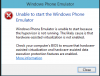
[Window Title]
Windows Phone Emulator
[Main Instruction]
Unable to start the Windows Phone Emulator
[Content]
Windows Phone Emulator is unable to start because the hypervisor is not running. The likely cause is that hardware-assisted virtualization is not enabled.
Check your computer's BIOS to ensure that hardware-assisted virtualization and hardware-assisted data execution protection features are enabled.
More information
The closest KB article I could find is http://kb.parallels.com/en/115211. Not the same error message, but it gave me some things to check.
4 CPUs, plenty of RAM and nested virtualization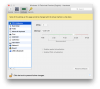 Hypervisor enabled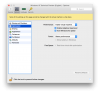
I'm using Parallels Desktop 10 (Trial) and Win10 Technical Preview. I don't have an extra license to test Win8.1, but can get one if we can narrow down that that is the issue.
[Window Title]
Windows Phone Emulator
[Main Instruction]
Unable to start the Windows Phone Emulator
[Content]
Windows Phone Emulator is unable to start because the hypervisor is not running. The likely cause is that hardware-assisted virtualization is not enabled.
Check your computer's BIOS to ensure that hardware-assisted virtualization and hardware-assisted data execution protection features are enabled.
More information
The closest KB article I could find is http://kb.parallels.com/en/115211. Not the same error message, but it gave me some things to check.
4 CPUs, plenty of RAM and nested virtualization
Hypervisor enabled I'm using Parallels Desktop 10 (Trial) and Win10 Technical Preview. I don't have an extra license to test Win8.1, but can get one if we can narrow down that that is the issue.