johnguenther
Bit poster
I just installed Visual Studio 2008 on a mac. I tried a simple program to see if it worked. Its a console program. It works but I get a message at the top of the console that says UNC paths are not supported. Defaulting to Windows directory.
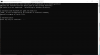
I'm running XP on a MacBook Pro. There is more to the message. The full message is: '\\.psf\home\Documents\Visual Studio 2008\Projects\usingAStruct\usingAStruct'. CMD.EXE was started with the above path as the current directory. UNC Paths are not supported. Defaulting to Windows directory. Anyone know if I can do something to stop this from happening?
I'm running XP on a MacBook Pro. There is more to the message. The full message is: '\\.psf\home\Documents\Visual Studio 2008\Projects\usingAStruct\usingAStruct'. CMD.EXE was started with the above path as the current directory. UNC Paths are not supported. Defaulting to Windows directory. Anyone know if I can do something to stop this from happening?