Unknowing Support ?

vincentc

Bit poster
I tried to upgrade my software on my Mac, but got an error message that was then referred to Support.

Support asked me to download the latest version, re-install and then direct the requester to my .pvm file

Unfortunately there was no .pvm file, so after searching my computer I asked if it was a "hidden" file to which I was asked to check my backups as there should be one, but no answer to my question.

I set my Mac to show hidden files and there it was, so I told them it was a hidden file to which I got the answer to re-install the program and go through the install procedure again. Doh!!

I don't think support knows what a hidden file is and that it doesn't show when my requester opens asking for the .pvm

So, can anyone tell me if the .pvm is supposed to be hidden or is it just on my machine. If it is supposed to be hidden, then why on earth put up a requester to look for it
 
You haven't given very much detail. What software did you upgrade on your Mac? What error message did you get? What is the "requester" asking for (I think it's called a File selection dialog or chooser)? What do you mean by "I set my Mac to show hidden files"? Do you mean hidden or invisible?

Virtual machines are not supposed to be hidden. They are usually stored in ~/Documents/Parallels/ but can be stored anywhere. You can open the Virtual Machine List window in Parallels Desktop and drag and drop a virtual machine to the window if it doesn't already exist in the window.
 
I was updating my Parallels program from about two updates back to the present version. I re-installed the new version after going through the un-install stage and ran the software at which point I was to "Import virtual machine" from the three options on the start screen.

The requester opens for the .pvm file, but it is empty and as you say, it is looking at a Parallels folder in the Docs section. So I cannot import a .pvm file.

I selected instead "Use your virtual Machine" and it works fine and the virtual machine is listed in the drop down menu. There was obvious;y a .pvm file somewhere, so I looked in the hidden files and found it in Users/Shared/Parallels, but as a hidden file.

Should this be hidden? If not, how do I make it visible to the "Import virtual machines" requester on the opening page of the program.

If you are wondering why the file is located there, "I don't know" is the answer. I have had Parallels from the year Dot and gone through myriads of upgrades. I use it very rarely for a particular project, other than that I am not interested in PCs

Support keep asking me to re-install the software to sort it out, but I know it won't as it will not overcome the hidden file problem

Thanks for the reply, much appreciated

Vince
 
I still don't know what you mean by hidden. How do you set your Mac to show hidden files? Some screen shots would help.

By "the start screen" I think you mean "The Welcome Window" which is documented at:
http://download.parallels.com/desktop/v5/docs/en/Parallels_Desktop_Users_Guide/27295.htm

You can get rid of The Welcome Window by deselecting the "Show at startup" check box in the window.

View the current list of virtual machines by going to the Parallels Desktop menu bar, Window -> Virtual Machine List. This is documented at http://download.parallels.com/desktop/v5/docs/en/Parallels_Desktop_Users_Guide/27802.htm
If you have a virtual machine in the Virtual Machine List window, then you can right click the virtual machine in the Virtual Machine List window and select "Show in Finder" to find out where it is stored.

vincentc said:
"The requester opens for the .pvm file, but it is empty and as you say, it is looking at a Parallels folder in the Docs section. So I cannot import a .pvm file.
I think you mean the file selection dialog opens to the default location which is the ~/Documents/Parallels folder but you have no virtual machines there. All you have to do is go to the location where you virtual machine files are stored and open a virtual machine file from there.

/Users/Shared/Parallels is the default location when you create a new virtual machine and select the "Let other Mac users access this virtual machine" option.

Another way to open a virtual machine is to open it from the Finder or the Dock.

If a virtual machine is in the Virtual Machine List window then you don't need to import it. You also don't need to import virtual machines if they are already Parallels virtual machines. You can just open it.
 
Ok, the Welcome Screen it is.

Support insists I pont my middle selection ""Import virtual machine"" to my .pvm file, but as desribed it is not in their preferred location (reason unknown), but is elsewhere.

However, my program runs quite happily and knows where the .pvm file is

It is support that insist I go through this unnecessary procedure even though I keep telling them the file is "hidden"

Right, back to what is a hidden file. The Mac uses many files which do not show, usually for system reasons. As a default position they obviously do not show in any requesters

If I use a utility or for some type a command into Terminal. then all these files show and can clutter the screen

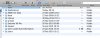
You will see from the attachment my main drive directory. The larger window has ghosted hidden files, the other is the normal display in which way the "Import virtual machine" operates and it cannot see hidden files
 

Attachments

  • Screen shot 2010-08-27 at 17.27.34.jpg
    Screen shot 2010-08-27 at 17.27.34.jpg
    80.4 KB · Views: 2
  • Screen shot 2010-08-27 at 17.28.41.jpg
    Screen shot 2010-08-27 at 17.28.41.jpg
    185.4 KB · Views: 1
Now I understand. To show hidden files you need to use the command
Code:
defaults write com.apple.finder AppleShowAllFiles TRUE

There are two types of hidden file. Those that start with '.' and those that have a hidden flag set. Files with '.' can also have the hidden flag but are hidden even if they don't have the flag. Here are some examples (Applications and Library are not hidden but the rest are):
Code:
ls -lAO
-rw-rw-r--    1 root   admin  -         24580 27 Aug 17:01 .DS_Store
d-wx-wx-wt    2 joevt  staff  hidden       68  2 Aug 15:47 .Trashes
drwxrwxr-x@  61 root   admin  -          2074 26 Aug 01:10 Applications
drwxrwxr-t@  60 root   admin  -          2040 26 Jul 13:17 Library
drwxr-xr-x@  39 root   wheel  hidden     1326 18 Jun 20:36 bin
drwxr-xr-x@  12 root   wheel  hidden      408 31 Aug  2009 usr

Are the .pvms hidden? Try the following command:
Code:
ls -lAO ~/Documents/Parallels /Users/Shared/Parallels
/Users/Shared/Parallels is the preferred location when you allow other users on your Mac to use the same virtual machine.

You can use a utility like File Buddy or a command line like chflags to clear the hidden flag (also called the Invisible flag). The following example unhides the /usr folder:
Code:
sudo chflags nohidden /usr
You could use the same command to unhide your .pvm files.
 
Back
Top